

Monitoring
Monitor connector runs, view logs, and debug failures.
The Dev Portal provides several tools for monitoring and debugging your connector. These are available under the Utils section in the connector sidebar.
Runs
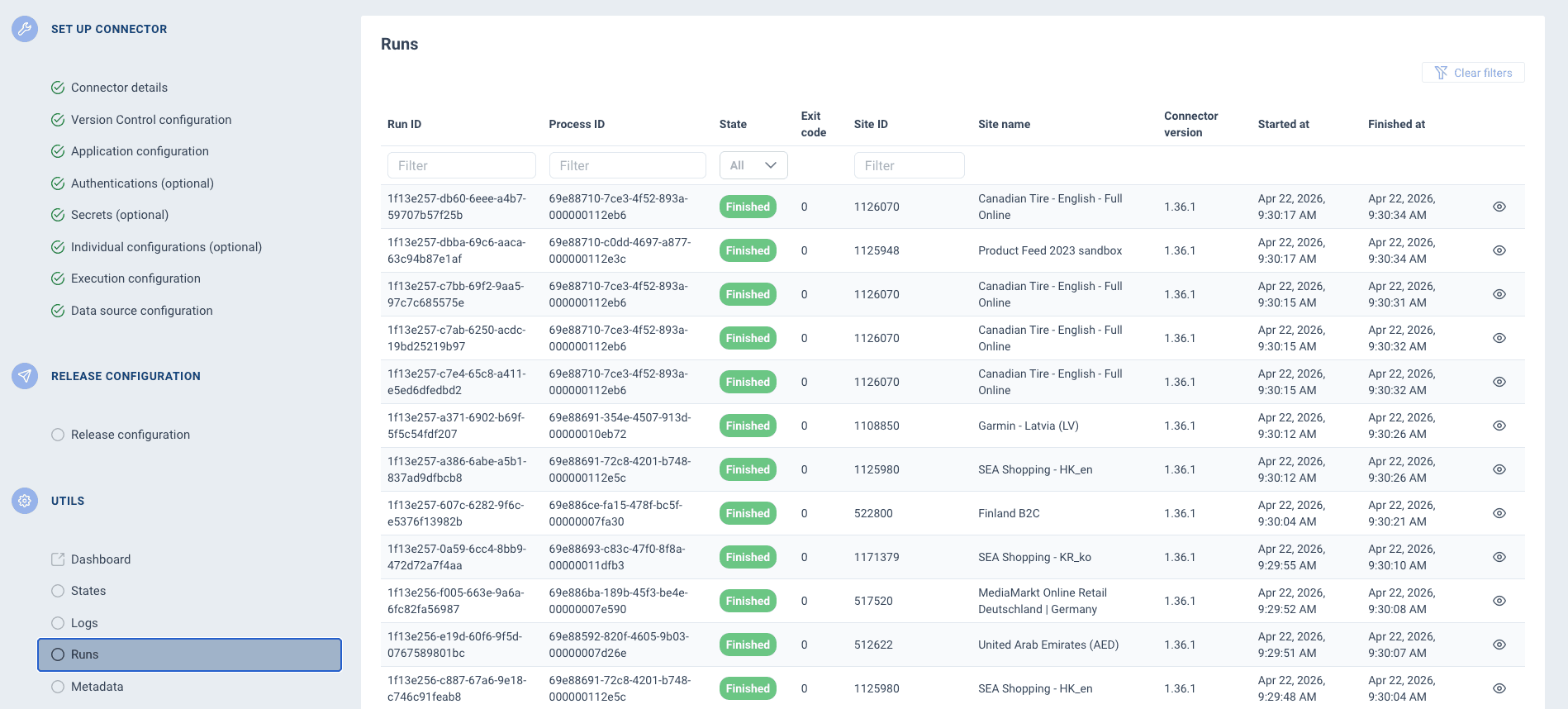
The Runs page lists every execution of your connector. Each run shows:
| Field | Description |
|---|---|
| Status | Whether the run finished successfully or failed. |
| Exit code | 0 for success, any non-zero value indicates failure. |
| Started at / Finished at | When the run started and ended. |
| Process ID | A unique identifier for the run, useful for correlating logs. |
| Site | The ProductsUp site that triggered the run. |
| Version | Which connector version was executed. |
You can filter runs by connector version, site, status, or process ID.
Logs
The Logs page shows application logs sent by your connector via the Container API (e.g. $this->containerApi->info('message')). Logs use standard syslog severity levels:
| Level | Name | When to use |
|---|---|---|
| 0 | Emergency | System is unusable |
| 1 | Alert | Immediate action required |
| 2 | Critical | Critical conditions |
| 3 | Error | Runtime errors that don't require immediate action |
| 4 | Warning | Exceptional occurrences that aren't errors |
| 5 | Notice | Normal but significant events |
| 6 | Info | General informational messages |
| 7 | Debug | Detailed debug information |
You can filter logs by level — for example, filter to level 3 (Error) and above to see only problems. The Logs page also has a STDOUT/STDERR tab for raw container output.
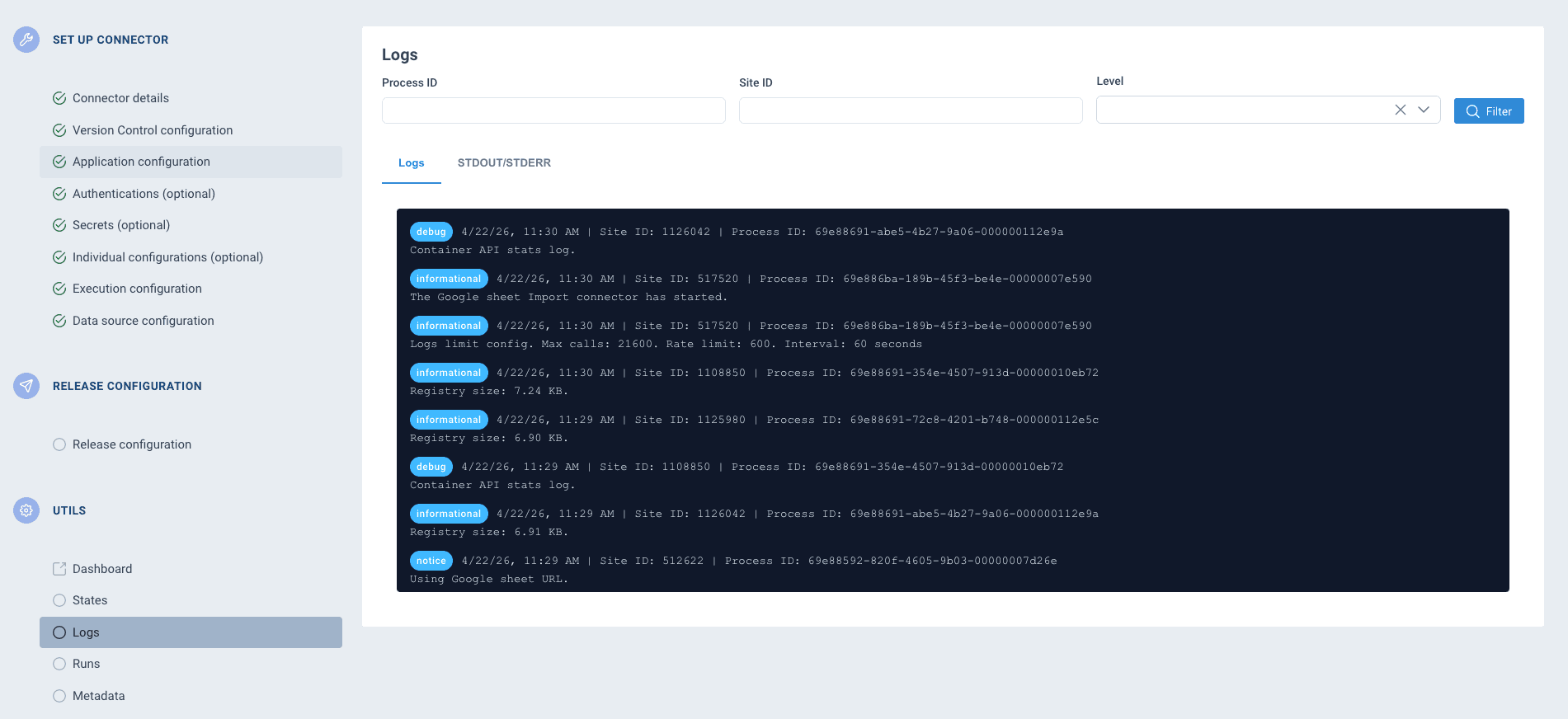
Logs are also available for Container API requests. If your connector makes a failing call to the Container API, the request URI, response code, and response body are captured as log entries.
Stdout / Stderr
The stdout/stderr view shows the raw output from your connector's Docker container. This is especially useful when:
- Your connector crashes before it can log via the Container API
- You need to see stack traces or uncaught exceptions
- You want to see output from startup or initialization
Container API failures
A dedicated view filters logs to show only failed Container API requests. Each entry includes:
- The request URI (which endpoint was called)
- The HTTP response code
- The response body (error message)
Common causes: requesting an input file that doesn't exist, calling an endpoint with wrong parameters, or writing data in an unexpected format.
States
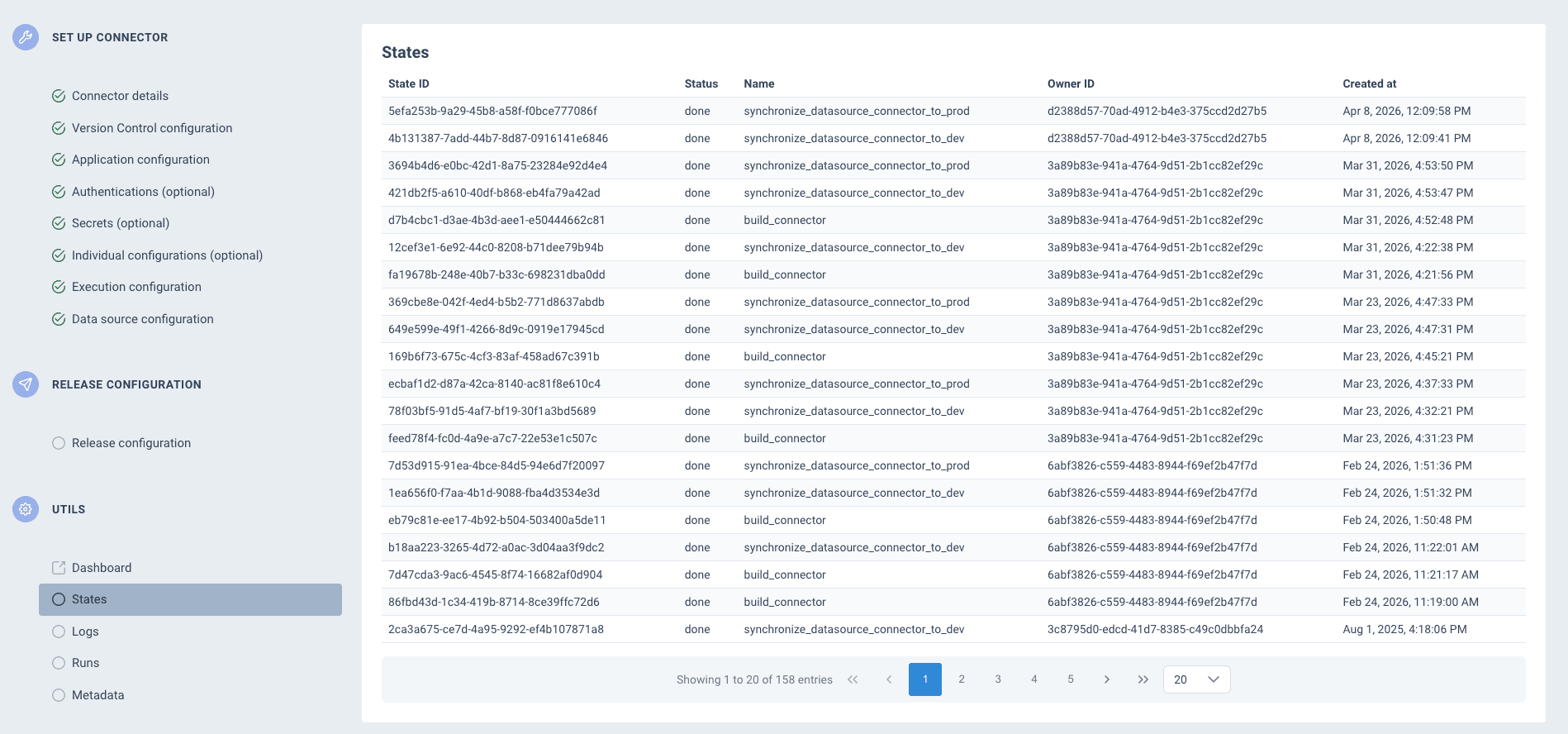
The States page shows the history of asynchronous operations for your connector — builds, syncs, and deployments. Each entry includes:
| Field | Description |
|---|---|
| State ID | Unique identifier for the operation. |
| Status | Current status (pending, done, etc.). |
| Name | The operation type (e.g. build_connector, sync_connector_to_dev). |
| Owner ID | The user who triggered the operation. |
| Created at | When the operation was started. |
Use this page to track the progress of long-running operations and diagnose deployment issues.
Debugging workflow
When a connector run fails:
- Check the run status and exit code — a non-zero exit code means the connector reported a failure
- Read application logs — filter by error level to find what went wrong
- Check Container API failures — look for failed API calls that might indicate configuration issues
- Inspect stdout/stderr — if there are no application logs, the container may have crashed before reaching your logging code
- Review states — if the issue is with deployment rather than execution, check whether the build and sync completed successfully
How is this guide?