

Build and deploy
Build your connector's Docker image and deploy it to dev or production.
The Release configuration page in the Dev Portal walks you through the full pipeline — from building a Docker image to making the connector available to users. For a hands-on walkthrough, see the Quickstart.
The deployment pipeline
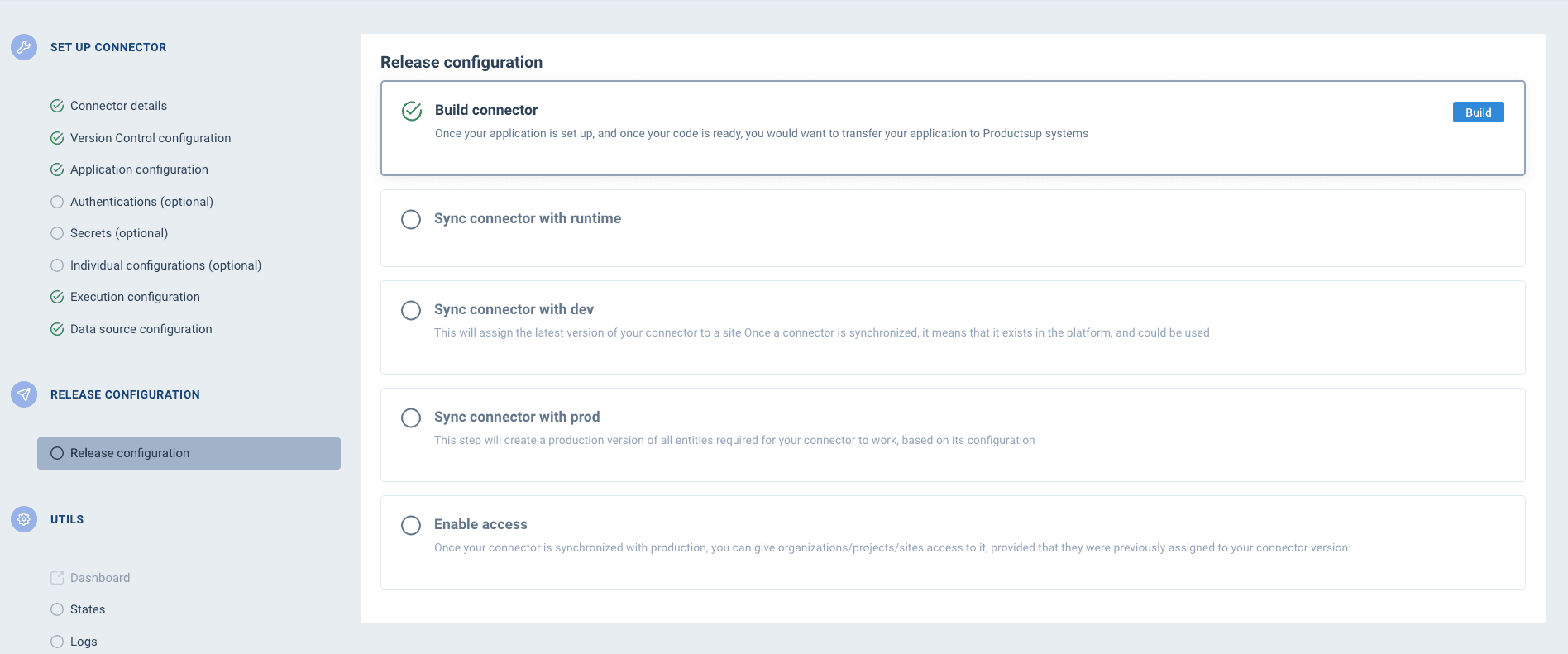
The pipeline has five steps, each depending on the previous one:
| Step | What it does |
|---|---|
| Build connector | Connects to your Git repository, pulls the code, builds a Docker image using your Dockerfile, runs the health check, and pushes the image to the registry. |
| Sync with runtime | Registers the built image with the connector's runtime environment so it can be executed. |
| Sync with dev | Creates a test site on the ProductsUp platform (if needed), deploys the connector to the development environment, and assigns it to the site. |
| Sync with prod | Creates a production version of the connector based on its current configuration. The previous production version stays live until the sync completes. |
| Enable access | Makes the connector available to specific accounts, projects, or sites — or releases it globally. |
Build
Triggering a build does the following:
- Connects to the Git repository configured in VCS config
- Pulls the code from the configured branch
- Builds a Docker image using your
Dockerfile - Runs the health check to verify the container starts correctly
- Pushes the image to the registry
Once the build succeeds, the connector moves to built state:
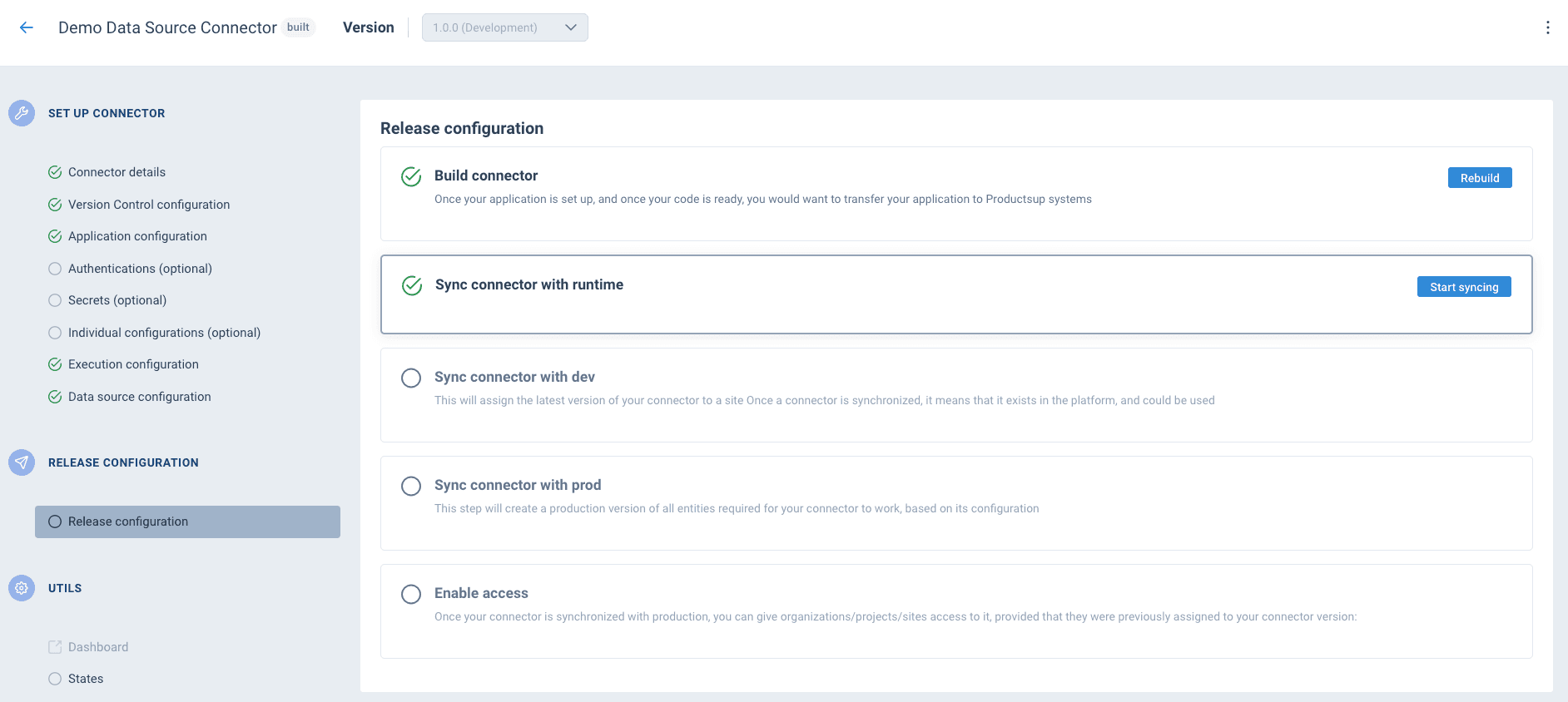
If a build fails, check the build logs in the Dev Portal. Common causes: repository not reachable (check VCS config), Dockerfile syntax errors, missing dependencies, or a failing health check.
Deploy to dev
Click Start syncing next to Sync connector with runtime. Once it completes, the Sync connector with dev section expands:
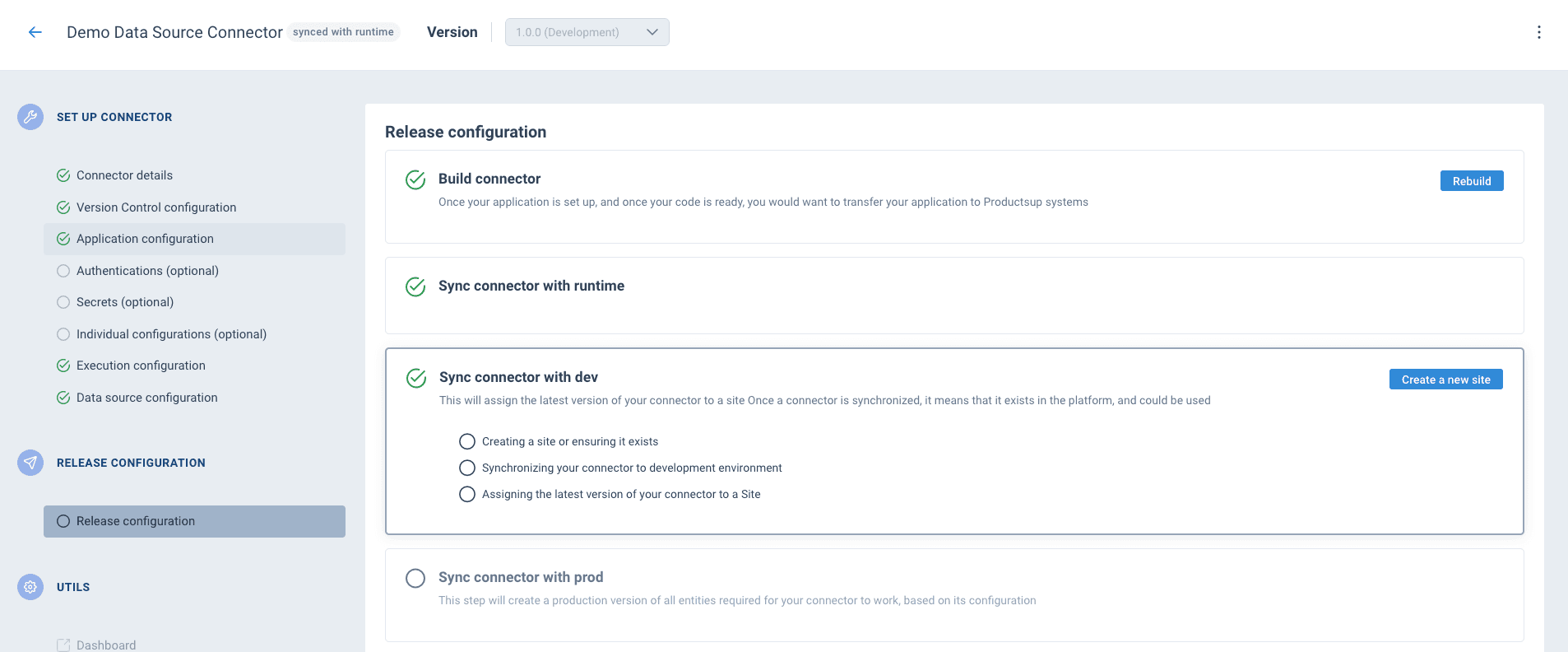
Click Create a new site to deploy to dev. This runs three sub-steps automatically:
- Creating a site or ensuring it exists — creates a dev project and site on the ProductsUp platform
- Synchronizing your connector to development environment — registers the connector so the platform can execute it
- Assigning the latest version of your connector to a Site — makes the connector available as a data source (or export) on the dev site
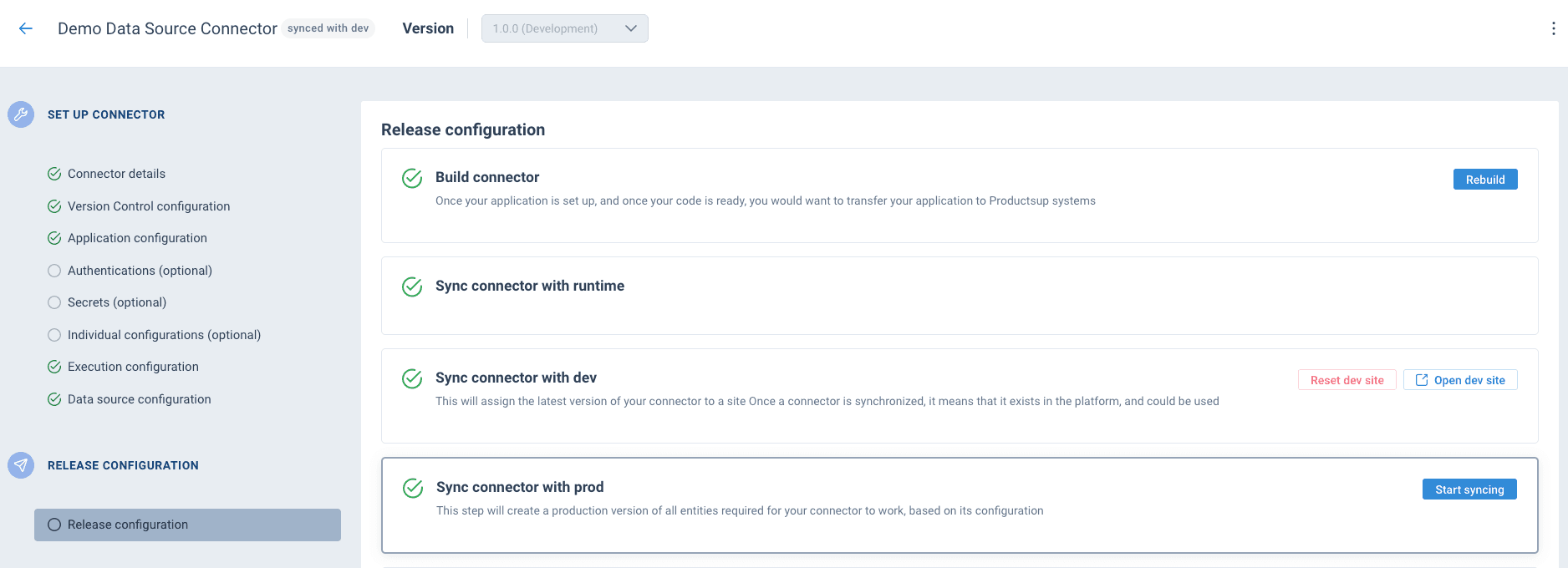
Once synced, click Open dev site to go to the site on the ProductsUp platform and trigger test runs.
Deploy to production
Click Start syncing next to Sync connector with prod. This creates a production version of all entities required for your connector to work, based on its configuration.
After the sync completes, the Enable access section becomes available:
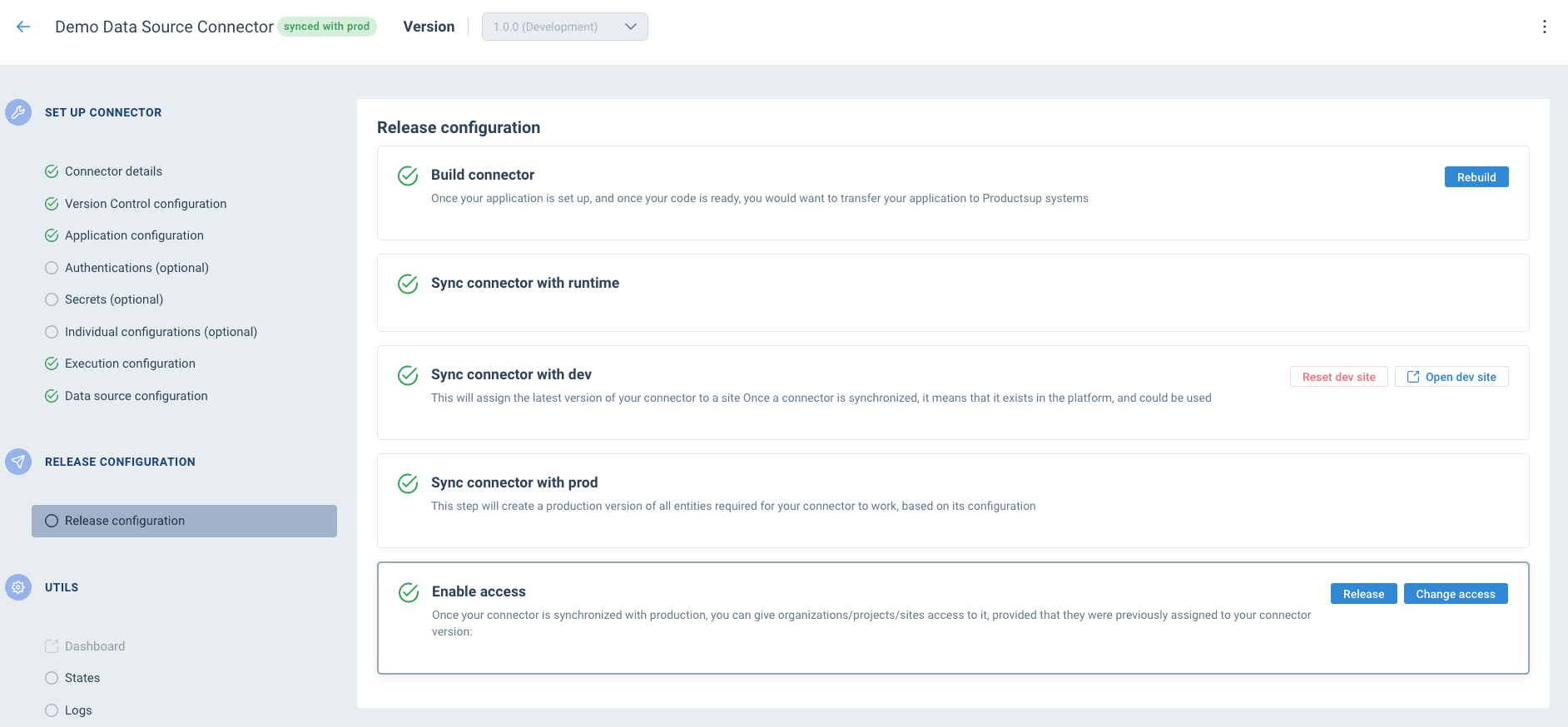
From here you have two options:
- Change access — makes the connector available to specific accounts, projects, or sites. Use this when the connector is intended for specific customers or internal use.
- Release — makes the connector available globally on the platform for all users.
See Release for details on access management and global releases.
Rebuild after changes
When you update your connector code or configuration:
- Push your changes to the Git repository
- Click Rebuild on the Release configuration page
- Sync to dev and test
- Sync to prod when ready
The current production version stays live until the new sync to prod completes. After a successful sync, all users automatically switch to the new version.
How is this guide?