

Why data has to be transformed
Why the data that leaves your shop almost never matches what a channel expects, and how Productsup's export templates, analyzer tests, and readiness scores help you close the gap.
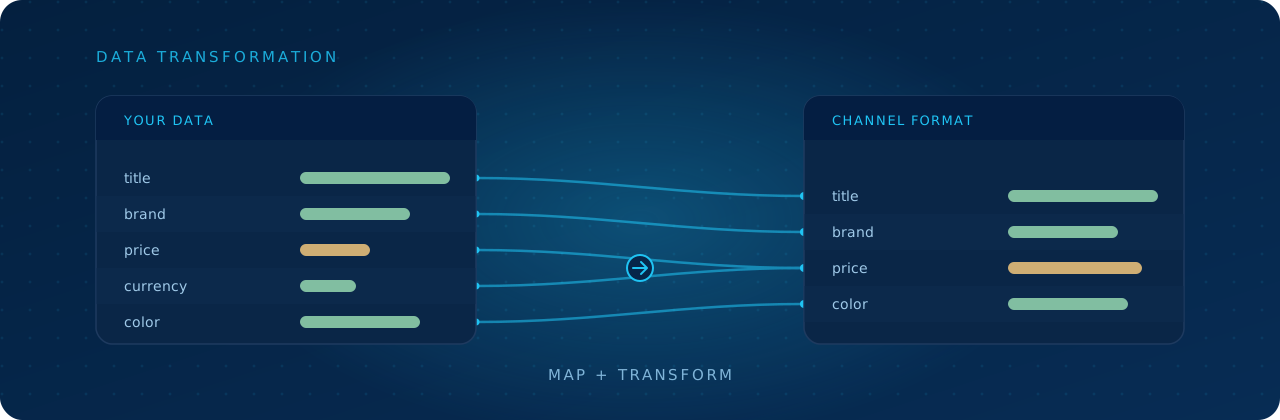
Your product data almost never arrives in the shape a channel will accept. The data that runs your own shop just fine is, to Google or Amazon, full of wrong field names, wrong formats, and missing required bits. So before it can go anywhere, it has to be reshaped. That reshaping is what we mean by transformation, and the good news is Productsup doesn't just give you the tools to do it. It also tells you when you've got it right.
The same product, a dozen different ways
Channels rarely agree on anything. One wants a single size field, another wants sizes split into their own rows. One reads 149.00 EUR, another wants the amount and currency in separate fields. One calls the product name title, the next calls it name, and a third demands it be under 150 characters with no promotional words. The facts about your product don't change. What changes is the exact shape, naming, and rules each channel insists on.
That's the gap. Your raw data sits on one side, the channel's strict requirements on the other, and the two almost never line up out of the box. This is the core reason feed management exists, and it builds right on the attributes your data is made of.
What "transforming" actually involves
Transforming means renaming fields, reformatting values, splitting or combining them, filling in what's missing, and filtering out products that don't qualify, all without touching your original source data. In Productsup you do this by mapping attributes and applying rule boxes in Dataflow, with data services handling the heavier jobs.
That's the doing. But it raises two fair questions: how do you know what each channel actually wants, and how do you know when you're finished? Three features answer that, and they work together.
Export templates: the channel's rulebook, built in
You don't have to reverse-engineer a channel's spec. An export template is a ready-made blueprint for a specific channel, and it comes pre-loaded with exactly what that channel demands:
- Attributes the channel requires, like
id,price, andavailability, marked mandatory or optional. - Analyzer tests that check whether your values actually meet the channel's standards.
- Destinations that define where and how the finished feed is sent.
So when you add an export, the template hands you the target shape up front. There are thousands of them for channels like Google Merchant Center, Amazon, and Meta, and teams can build or customize their own through Export Template Management. See About export templates for the full picture.
Analyzer tests: automatic checks against the spec
Knowing the target shape is one thing. Knowing whether your data hits it is another, and that's the job of analyzer tests. Each one is a small validation attached to an attribute: must contain a valid URL, must not be empty, must stay under a character limit, must use an allowed value. They run against your real data and flag exactly which values fail and why.
You see the results in Data View, where you can open the Analyzer on any attribute to see what's passing and what needs work. For more on how these tests are built and the kinds available, see About analyzer tests and Types of analyzer tests.
The readiness score: a finish line you can see
Individual tests tell you about individual attributes. The readiness score rolls them up into a single answer to "is my data ready for this channel?" It comes in two flavors:
- Core readiness score shows how many of the channel's mandatory attributes are export-ready.
- Enhanced readiness score widens that to include the optional attributes too.
The platform paints ready attributes green and problem ones orange or red, and shows the percentage of values meeting requirements under each attribute, so transformation stops being guesswork and gets an actual target. You can watch the score climb as you fix things, and the same numbers surface on your dashboard for an at-a-glance read across exports. Both scores rely on analyzer tests, so they're available for exports whose templates include them. See Analyze your data in Data View for how to use them.
How it all fits together
So the loop looks like this: add the export template to set the target shape and its tests, then transform your data by mapping attributes and applying rule boxes and data services, and watch the analyzer tests pass and the readiness score climb. When the score is green, your data is genuinely channel-ready, which is the whole point of what makes product data good and the reason channels are so particular about what they accept.
In short
Your data has to be transformed because no channel accepts it as-is. Export templates give you each channel's required attributes, analyzer tests, and destination up front. Analyzer tests check your values against those rules and flag what fails. The readiness score (core for mandatory attributes, enhanced for optional ones too) turns all of that into one clear target, so you can transform with confidence and know exactly when your feed is ready to ship.
How is this guide?