

Map and optimize your data
Productsup offers several functionalities to map, transform, and optimize your product data feeds: Dataflow, Data View, Lists, Data Services, and Image Designer.
Introduction
To get your product data feeds ready for various export channels and marketplaces, you need to map attributes and optimize their values. Productsup offers a suite of core tools and services designed to help you inspect, transform, and optimize your feed data seamlessly at scale.
These functionalities work together to turn the original source data into high-performing, channel-compliant product feeds.
1. Dataflow (Attribute Mapping)
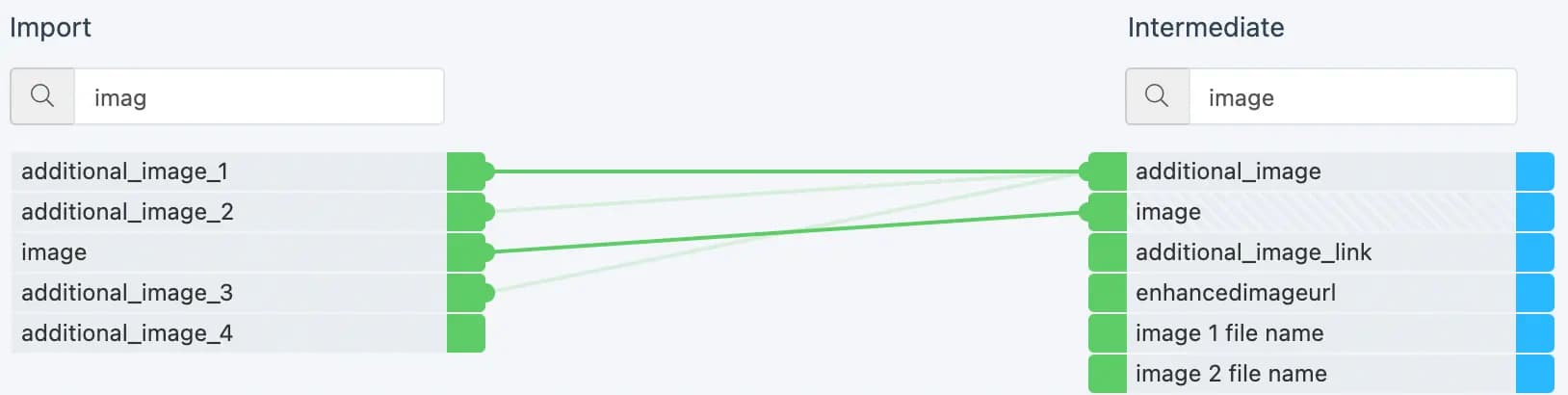
Dataflow is the drag-and-drop mapping functionality of the platform where you define how data moves from your import sources, through a standardized intermediate layer, and into your channel-specific exports.
- Key Capabilities: Map attributes between stages, create user-generated custom attributes, and transform the data.
- Learn more: See Use Dataflow to map your attributes from import to export.
2. Data View (Analyze & Rule Boxes)
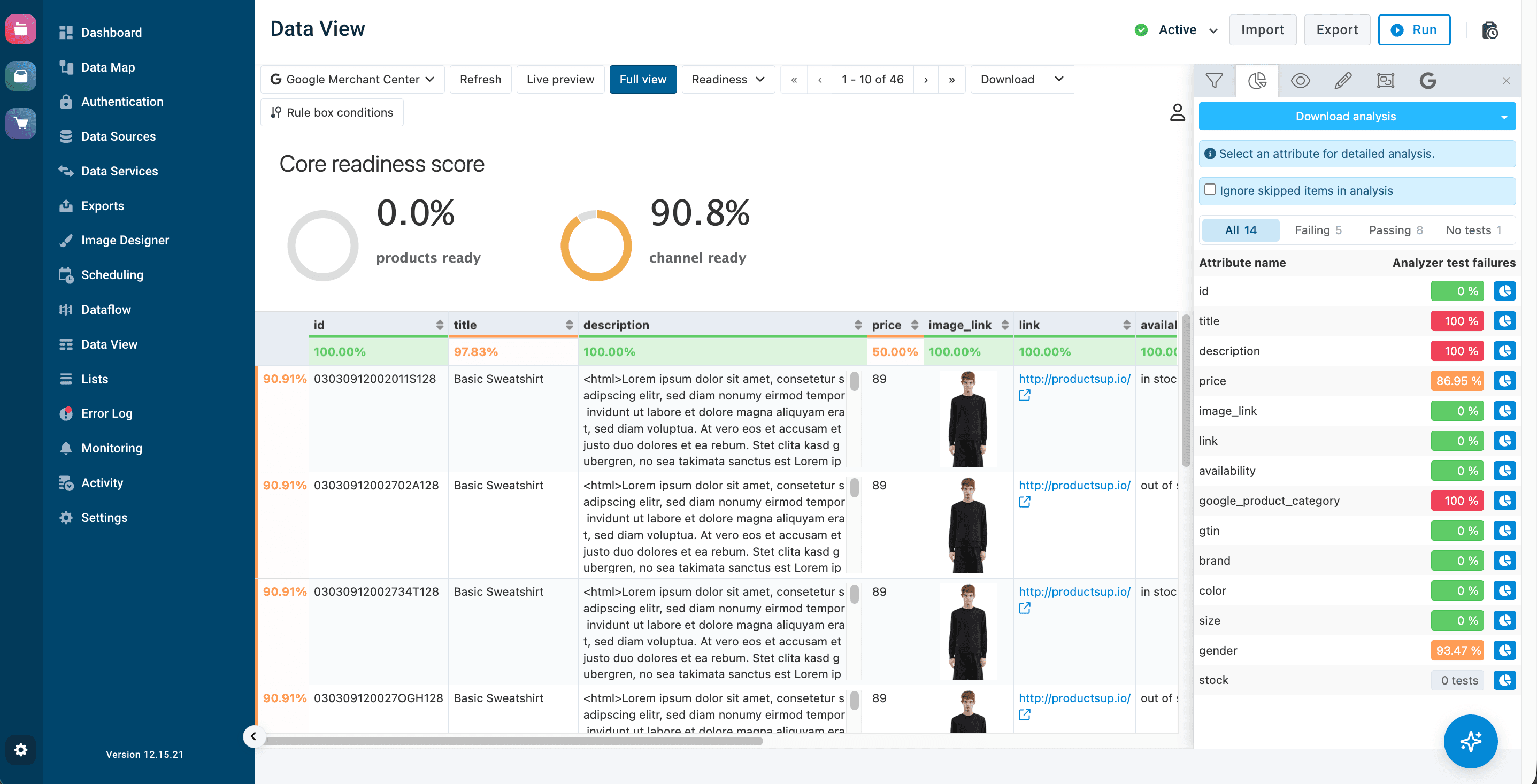
Data View is your interactive table view interface. Here, you can inspect your product data at any stage (import, intermediate, or export) and apply rule boxes to clean up, modify, or format specific attribute values.
- Key Capabilities: Filter and search items, analyze channel compliance and readiness score, and see live results of applied rule boxes.
- Learn more: See Data View and Optimize your data in Data View with rule boxes.
3. Lists
The Lists functionality allows you to define standardized or dynamic groups of values to support your rule boxes. Instead of writing complex conditions or managing hundreds of values inside individual rule boxes, you define them centrally in the Lists.
- Key Capabilities: Manage standard or dynamic lists for replacing terms, including/excluding products (e.g. whitelists/blacklists), or mapping categories to export channel taxonomies.
- Learn more: See Lists.
4. Data Services
When your feed requires heavier data processing or restructuring that goes beyond a single attribute rule box, Data Services provide powerful backend operations to enrich your product catalog.
- Key Capabilities: ID generation, website and image properties crawling, currency conversions, parent/variant splitting and merging, automatic translation, and AI-powered text transformation or image background removal.
- Learn more: See Restructure your data in Data Services and Enhance your import data through Data Services.
5. Image Designer
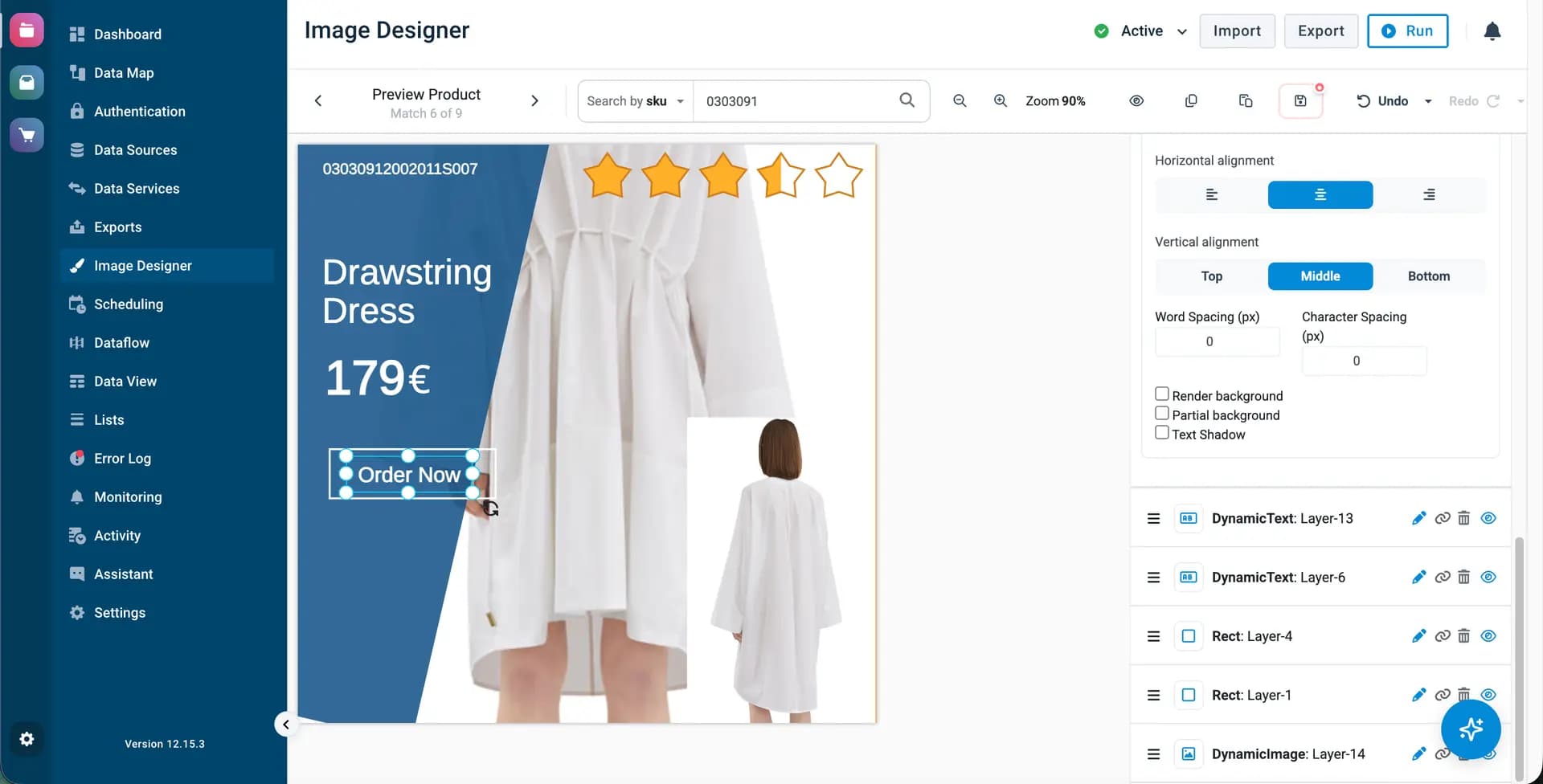
Image Designer is an add-on image editing application. It allows you creating custom templates with dynamic product attributes (like prices, discount badges, or logos) and automatically generate advertising product images at scale.
- Key Capabilities: Create custom image templates, overlay static or dynamic text/icons, product ratings, and apply these templates to all or selected products in your feed automatically.
- Learn more: See Image Designer.
How is this guide?