

Application config
Define the CLI command, arguments, and health check for your connector.
The Application configuration step tells the Dev Portal how to run your connector inside the Docker container.
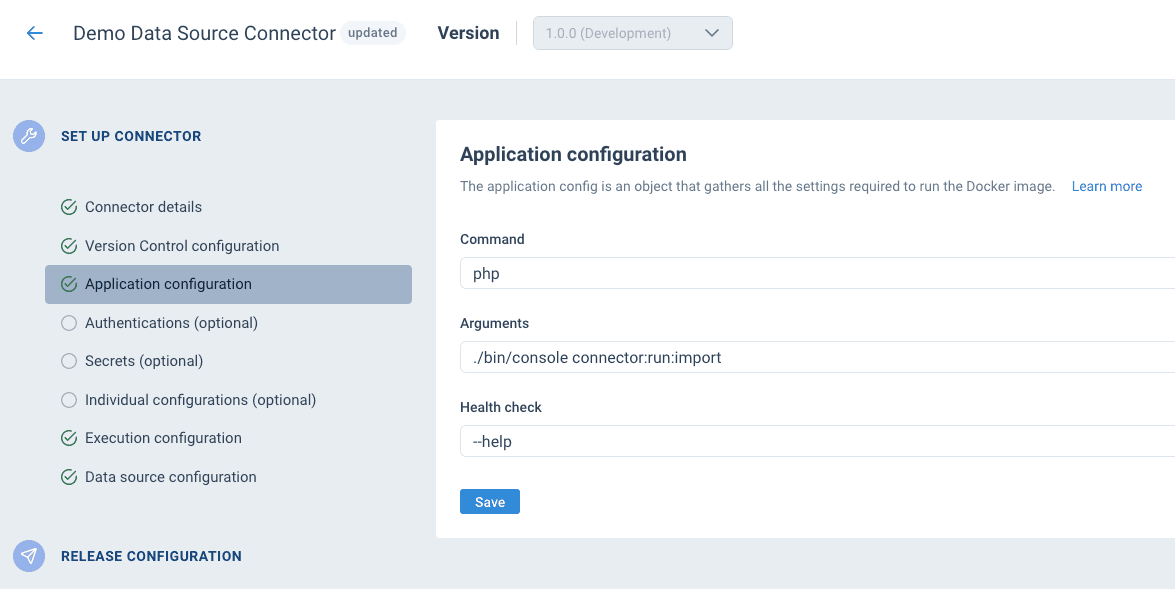
Fields
| Field | Required | Description |
|---|---|---|
| Command | Yes | The executable to run inside the container. This is the first part of what gets executed — e.g. php, python, node. |
| Arguments | No | Additional arguments appended to the command — e.g. ./bin/console connector:run:import. |
| Health check | No | Arguments appended to the command during the health check phase of a build. Used to verify the container starts correctly — e.g. --help. |
Together, the command and arguments form the full execution command. For example:
| Command | Arguments | What gets executed |
|---|---|---|
php | ./bin/console connector:run:import | php ./bin/console connector:run:import |
python | main.py | python main.py |
node | dist/index.js --verbose | node dist/index.js --verbose |
How the health check works
The health check runs automatically during the build process, after the Docker image is built and before it's pushed to the registry. It verifies that the container can start and the executable works.
When a health check is configured:
- A temporary container is created from the built image
- The container executes:
[command] [arguments] [health-check] - The check must complete within 5 seconds
- Exit code
0means the check passed — the build continues - Any non-zero exit code or a timeout means the check failed — the build fails
For example, with command php, arguments ./bin/console connector:run:import, and health check --help:
php ./bin/console connector:run:import --helpThis verifies that the Symfony console command is registered and the application boots correctly, without actually running the connector.
The health check is optional but recommended. Without it, a broken image could be pushed to the registry and only fail at runtime. Common health check values: --help, --version.
How configurations are passed at runtime
At runtime, the execution command is extended with end-user configuration values based on the execution mode:
Environment variable mode (recommended):
FIRST_OPTION=value SECOND_OPTION=value [command] [arguments]Command options mode:
[command] [arguments] --first-option='value' --second-option='value'See Execution configuration for details.
How is this guide?