

August 2026 release notes
Check out what we released in August 2026.
At Productsup, we are continuously working to offer you the best experience with the Productsup family of products and services. Here's what happened in August 2026.
News about platform features
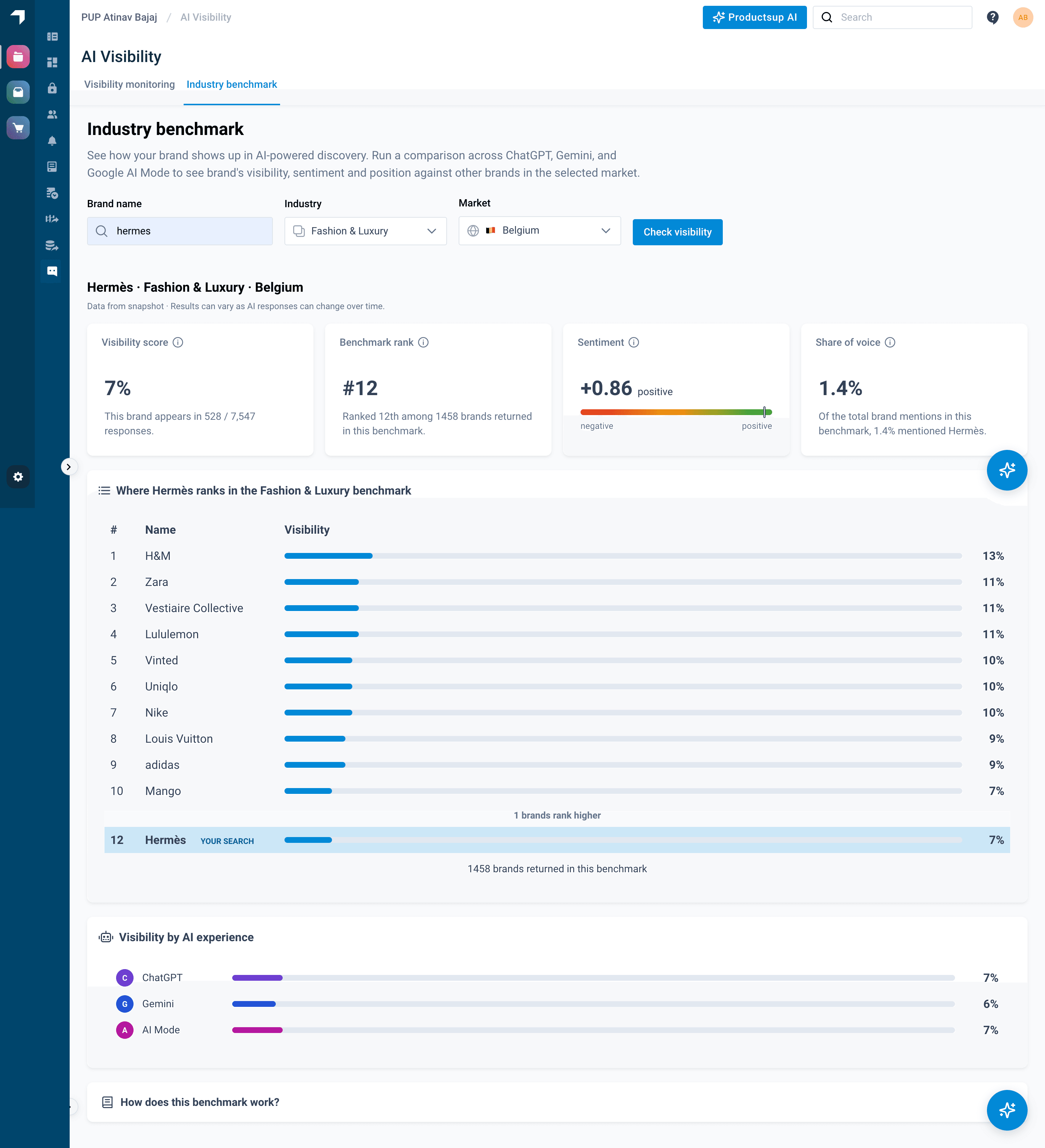
See how any brand stacks up in AI search with the Industry Benchmark
AI Visibility now includes a free Industry Benchmark experience, accessible to all Productsup users from the platform's left-hand navigation. The benchmark shows any brand's visibility, sentiment, and share of voice in AI-generated responses, measured against competitors in a selected industry and market. Powered by a large set of industry-specific prompts across multiple AI experiences, it reflects the real questions consumers ask when discovering, comparing, and evaluating products.
Now you can:
- Enter any brand, select an industry, and choose a market to generate an instant AI visibility benchmark
- Compare a brand's share of voice and sentiment against competitors in AI-powered discovery
- Access the benchmark without any paid add-on, using the shared link or the AI Visibility section in the platform
Filter, triage, and preview product data more reliably in Data View
A set of Data View improvements makes your day-to-day work with product data smoother. New filtering and Readiness report options make it easier to focus on the products that need attention, while clearer test indicators and more reliable image loading improve the overall experience.
Now you can:
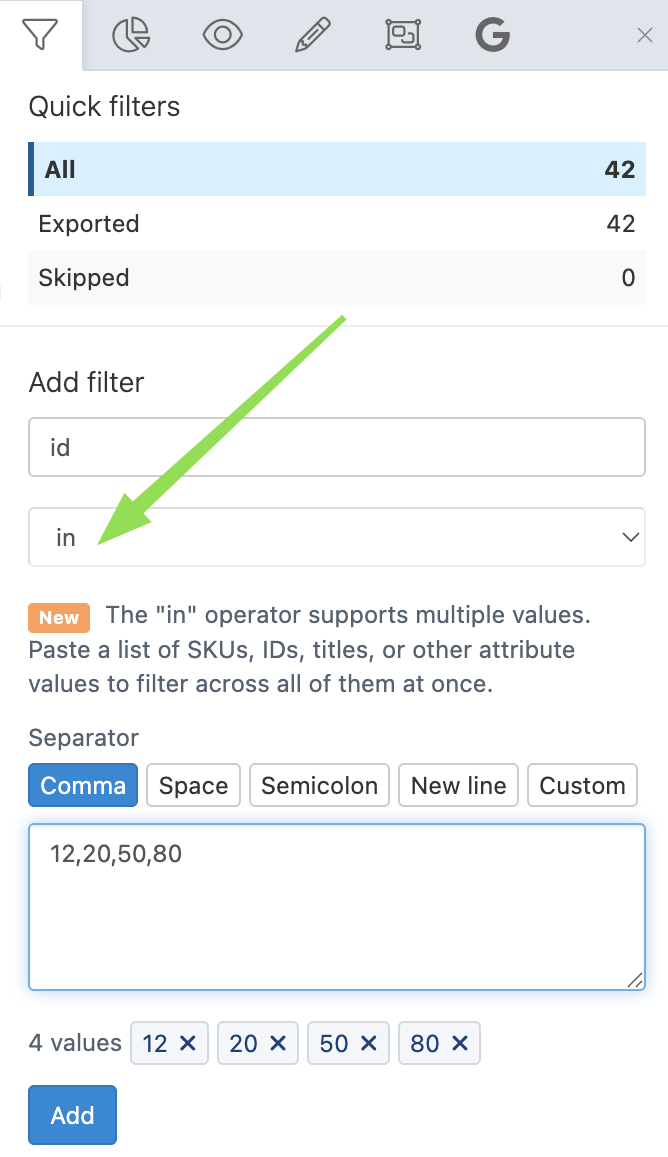
- Filter across multiple SKUs, IDs, EANs, or any other attribute values simultaneously using the new "In" filter option
- Switch between All, Failing, Passing, and No tests views in the Readiness report to focus on products that need attention
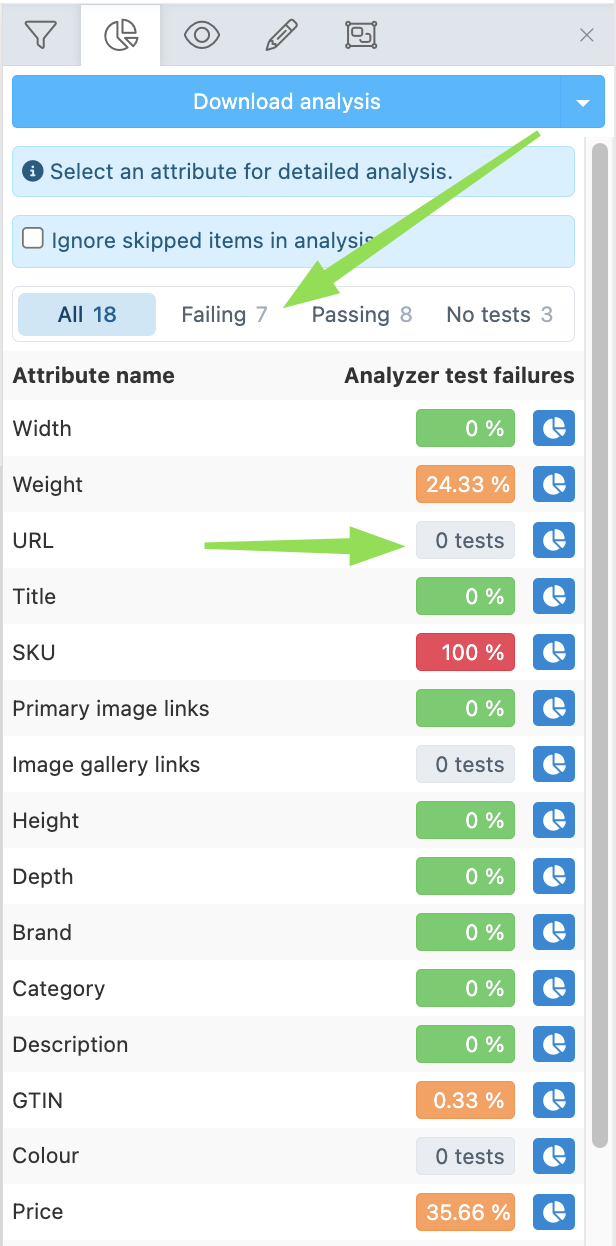
- Distinguish at a glance between attributes with no validation tests assigned and attributes that have genuinely failed
- View product images reliably across large result sets without intermittent placeholder errors
See Analyze your data in Data View and Optimize your data in Data View with rule boxes for more information on working with Data View.
News about integrations
Simpler Amazon offer management for resellers who don't need full listing control
Amazon resellers who sell on existing listings rather than creating and managing full product pages now have a dedicated, streamlined path in Productsup. New offer-only export templates and a dedicated connector remove fields and configuration steps that aren't relevant to offer-only selling.
An Amazon offer contains your price and availability for an existing listing, without requiring you to manage the full product detail page.
Now you can:
- Set up and submit Amazon offers using dedicated offer-only export templates, without fields required for full listing management.
- Simplify your setup by skipping the Catalogue Service Application (CSA) route and its field mapping requirements.
- Manage offer-only exports across supported Amazon regions using region-specific templates.
See Add an Amazon offer creation export for more information.
Find Amazon ASINs automatically using your own product identifiers
Resellers who know their products by GTIN or UPC can now find the corresponding Amazon ASIN directly in Productsup. A new Amazon data source automatically retrieves the matching ASIN and associated product data, removing the need to look up and transfer this information manually.
Now you can:
- Look up Amazon ASINs automatically by supplying a GTIN or UPC in Productsup.
- Bring the matched ASIN and associated product data directly into your offer creation workflow.
- Get the Amazon identifiers you need to create and manage offers on existing listings without manual lookup outside Productsup.
See Find Amazon ASINs by barcode for more information.
Keep TikTok Shop prices and inventory up to date without touching your main feed
A new TikTok Shop Price and Inventory export destination lets you update price and stock data independently of your main product catalog feed. This means you can schedule these frequently changing values separately without triggering a full catalog update.
Now you can:
- Send price and inventory updates to TikTok Shop independently of your main product catalog feed.
- Schedule price and stock updates separately from your main catalog exports.
- Keep frequently changing price and inventory data up to date without running a full catalog sync.
How is this guide?