

September 2026 release notes
Check out what we released in September 2026.
At Productsup, we are continuously working to offer you the best experience with the Productsup family of products and services. Here's what happened in September 2026.
News about platform features
Get instant platform help with Productsup Kai, your new AI assistant
Productsup Kai is now available to all customers as an in-platform AI assistant, offering a conversational way to get answers about platform features and tasks without leaving your current workflow. Kai draws on Help Center and API documentation to return clear, sourced answers, so you spend less time searching and more time working.
Now you can:
- Access Kai via 'Ask Kai' in the navigation or the floating, draggable widget
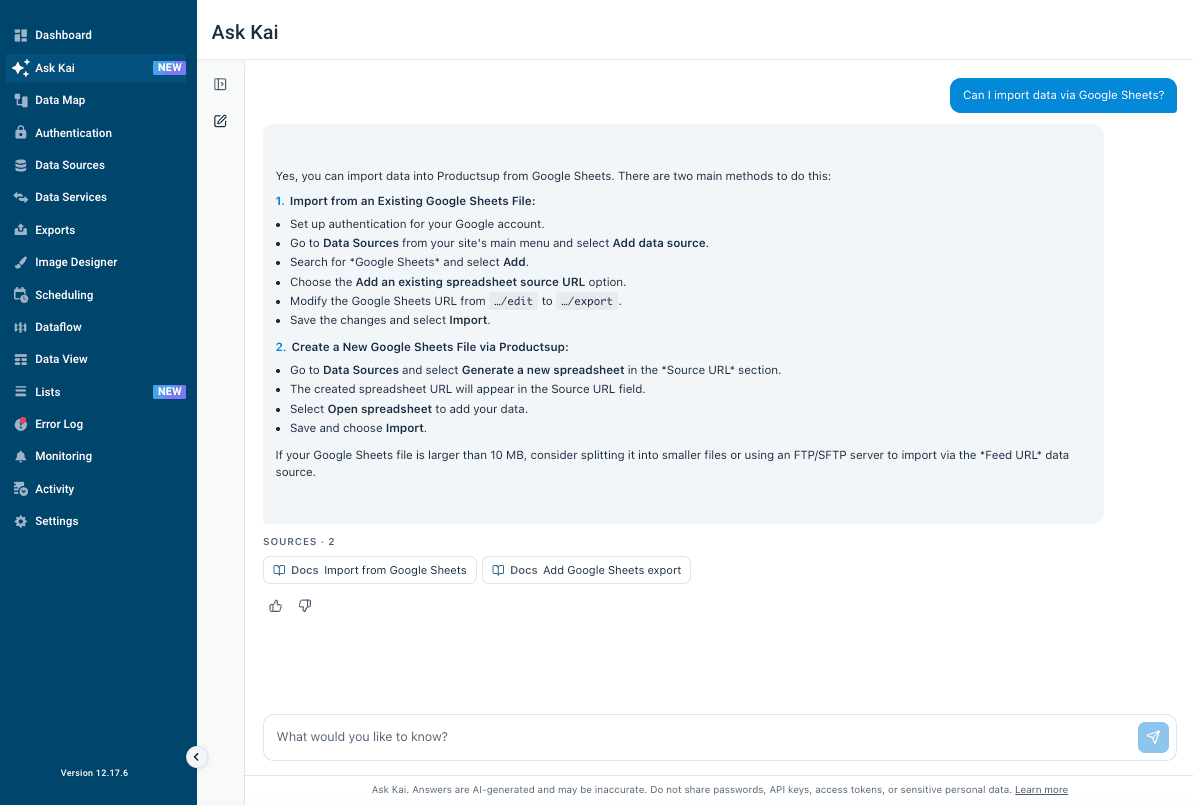
- Get plain-language answers backed by linked Help Center sources
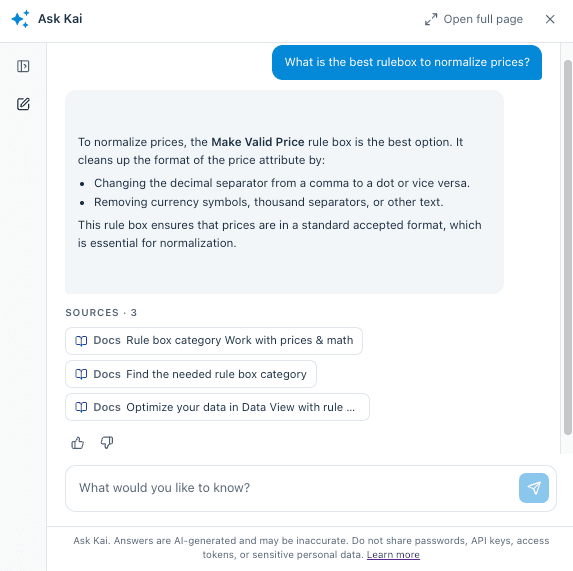
- Rate responses with thumbs up or down to help improve future answers
See Productsup Kai for more information.
Map taxonomy and classification values faster with Smart Mappings
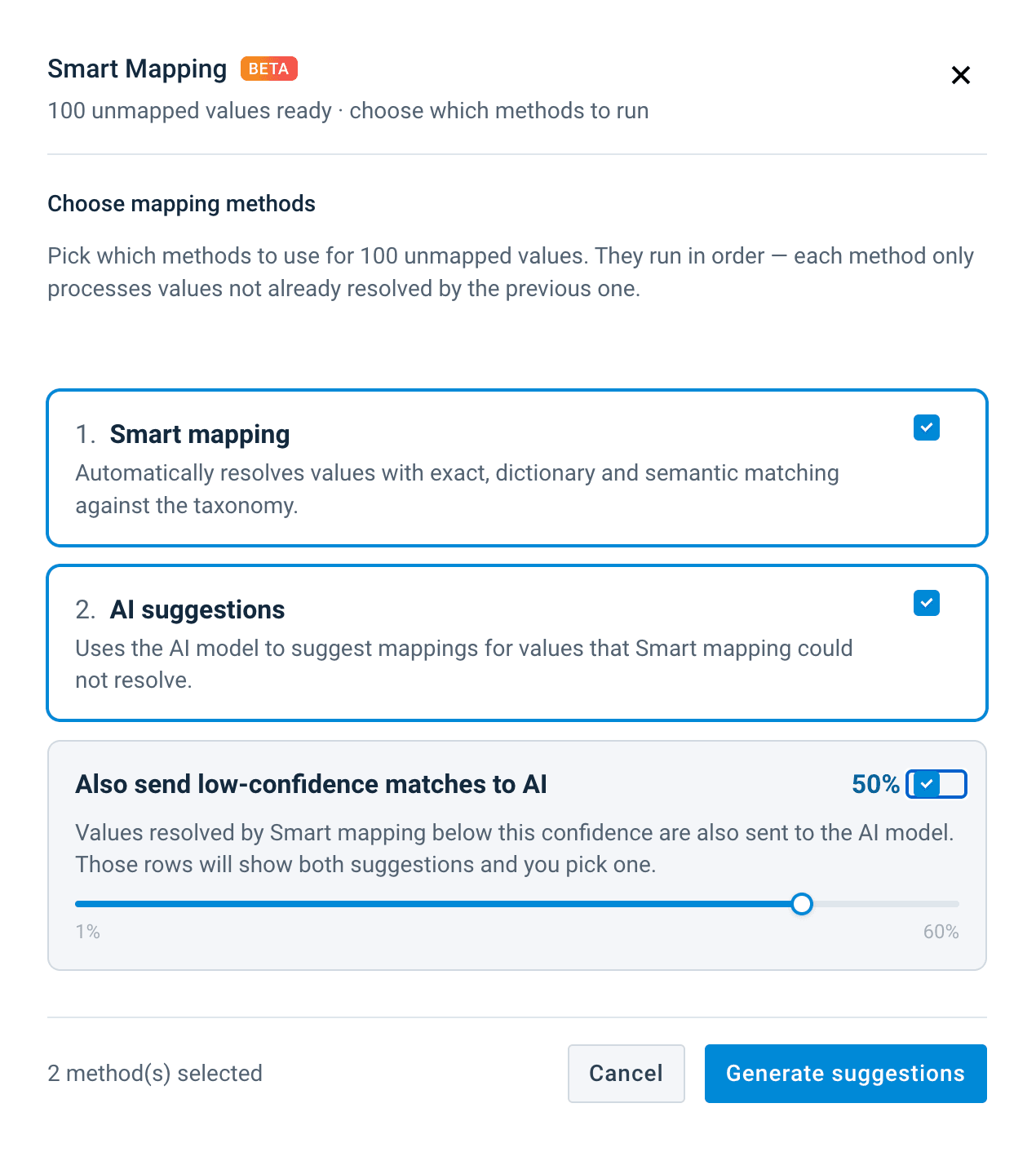
Smart Mappings brings automated suggestions to Taxonomy and Classification Lists, reducing the manual effort needed to match large value sets. Four cascaded methods — Exact, Dictionary, Semantic, and AI — work in sequence to handle straightforward matches automatically and route uncertain or cross-language cases to AI for a second opinion, with both suggestions shown side by side so you can make the final call.
Now you can:
- Receive automatic mapping suggestions across Taxonomy and Classification Lists
- Adjust a confidence threshold to send lower-confidence matches to AI for review
- Compare AI and primary suggestions side by side before accepting, editing, or discarding them
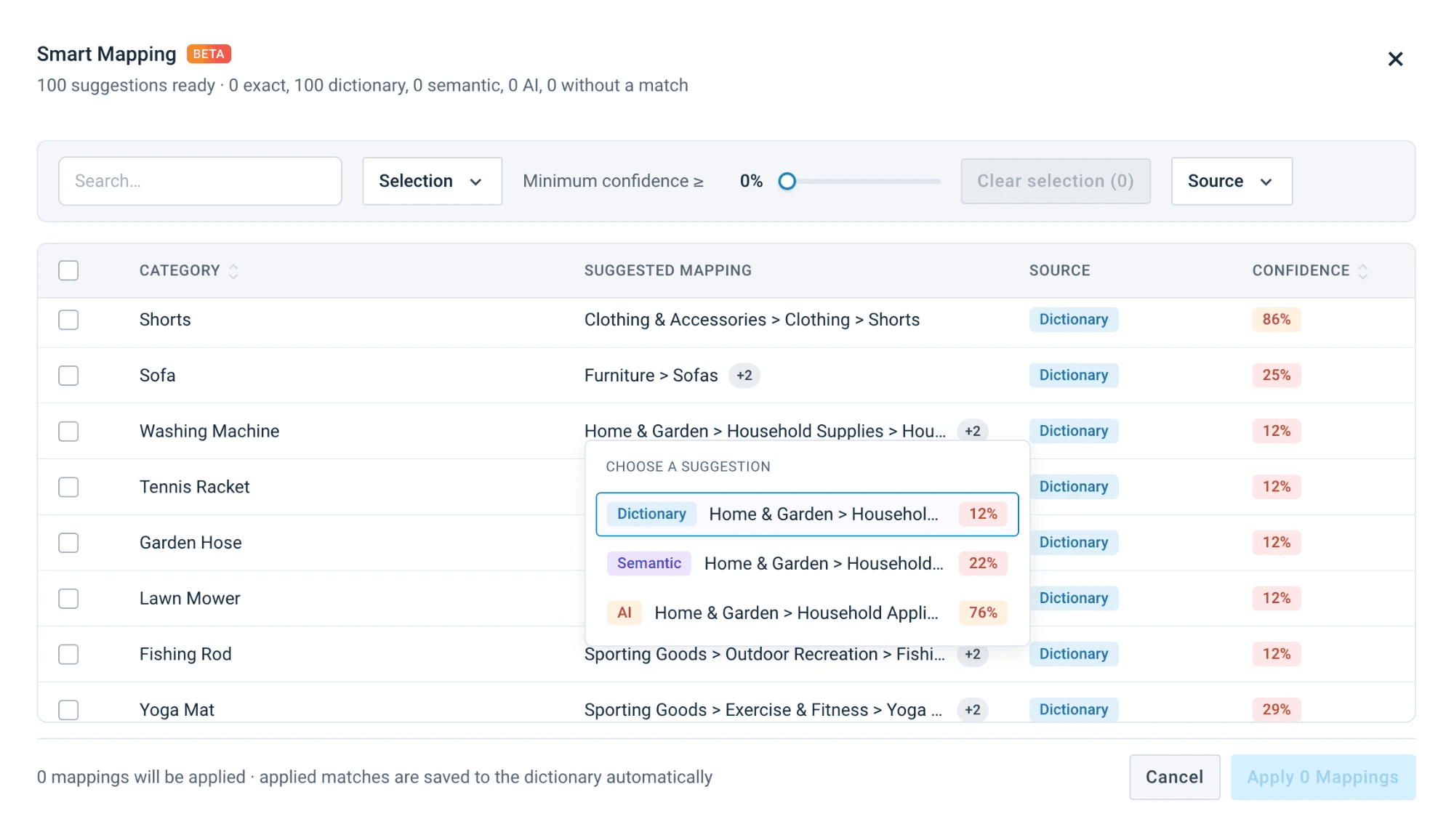
- Map values across languages or to standards like ETIM without starting from scratch
See Use Smart Mapping to populate your lists for more information.
Use your own attribute names throughout Content Portal
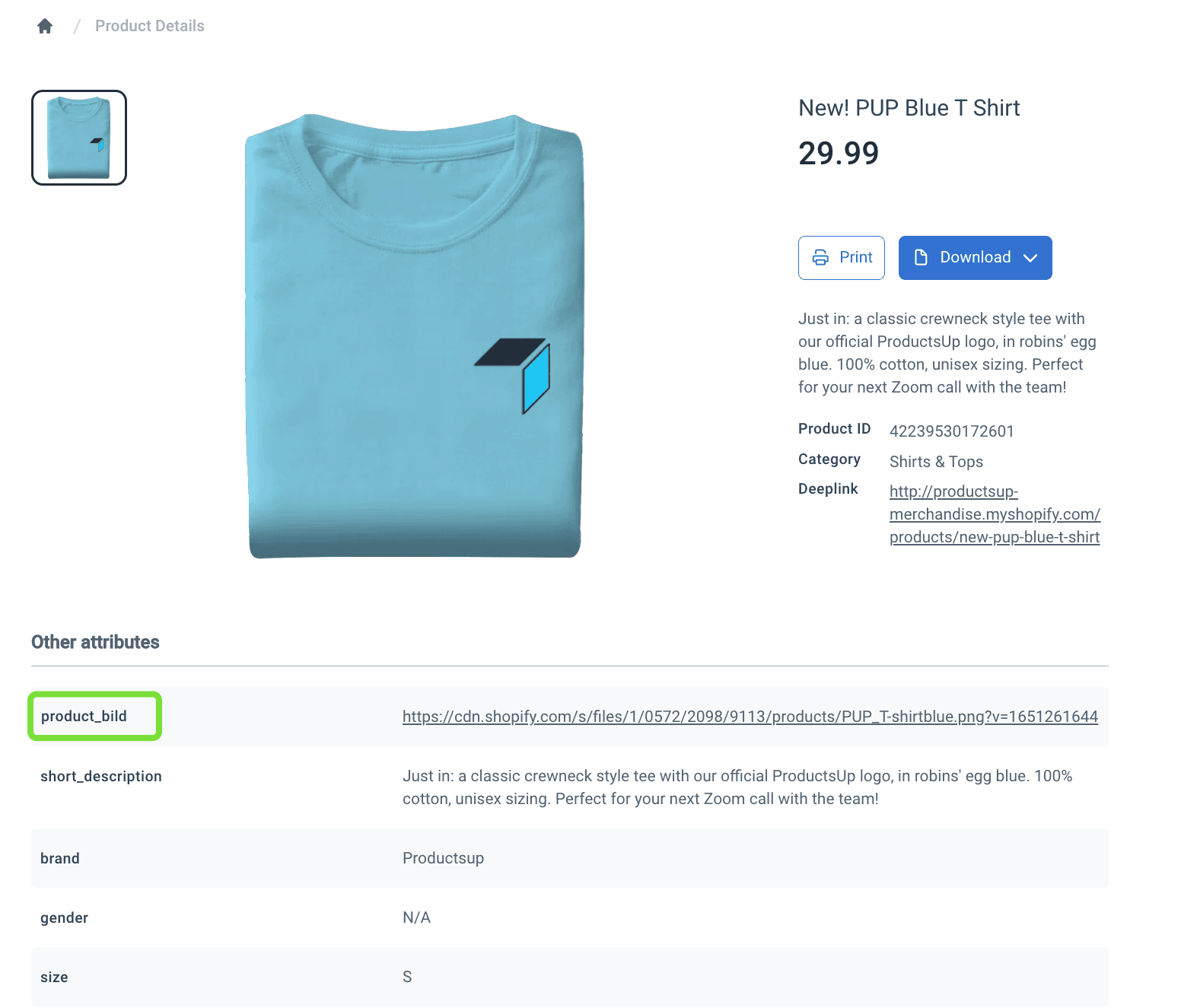
Content Portal now supports custom attribute naming across the full import-export setup, giving teams the flexibility to use terminology that matches their business, brand, or regional requirements. Custom attribute names are reflected consistently in the platform UI and export files, and can be mapped safely in Destination settings without disrupting existing imports.
Now you can:
- Create and map custom attributes through Import, Intermediate, and Export stages in Dataflow
- Use localized or brand-aligned attribute names in place of reserved defaults
- Work with custom names in Content Portal Catalog and Blank Export templates
- Eliminate setup workarounds and prevent data duplication caused by naming conflicts
See Import catalog data from the platform into Content Portal for more information.
News about integrations
Reach Spanish and Dutch shoppers on Kaufland without extra integration work
The Kaufland API export now supports Spain and the Netherlands as additional markets, extending the reach of one of Europe's fastest-growing online marketplaces. No separate export type is required — sellers can list products on Kaufland's Spanish and Dutch storefronts through the existing integration.
Now you can:
- List products on Kaufland Spain and Kaufland Netherlands via the existing Kaufland API export
- Expand into new European markets without setting up additional integrations
See Add Kaufland exports and import order data from Kaufland for more information.
See Google Merchant API feed diagnostics directly in Export Feedback
Export Feedback now includes diagnostics from the Google Merchant API export, bringing product feed issues, errors, and warnings into a single actionable view inside Productsup. This eliminates the need to cross-reference the platform and Google Merchant Center separately when troubleshooting why products are not appearing or are being rejected.
Now you can:
- Review Google Merchant API submission errors and warnings in the Export Feedback hub
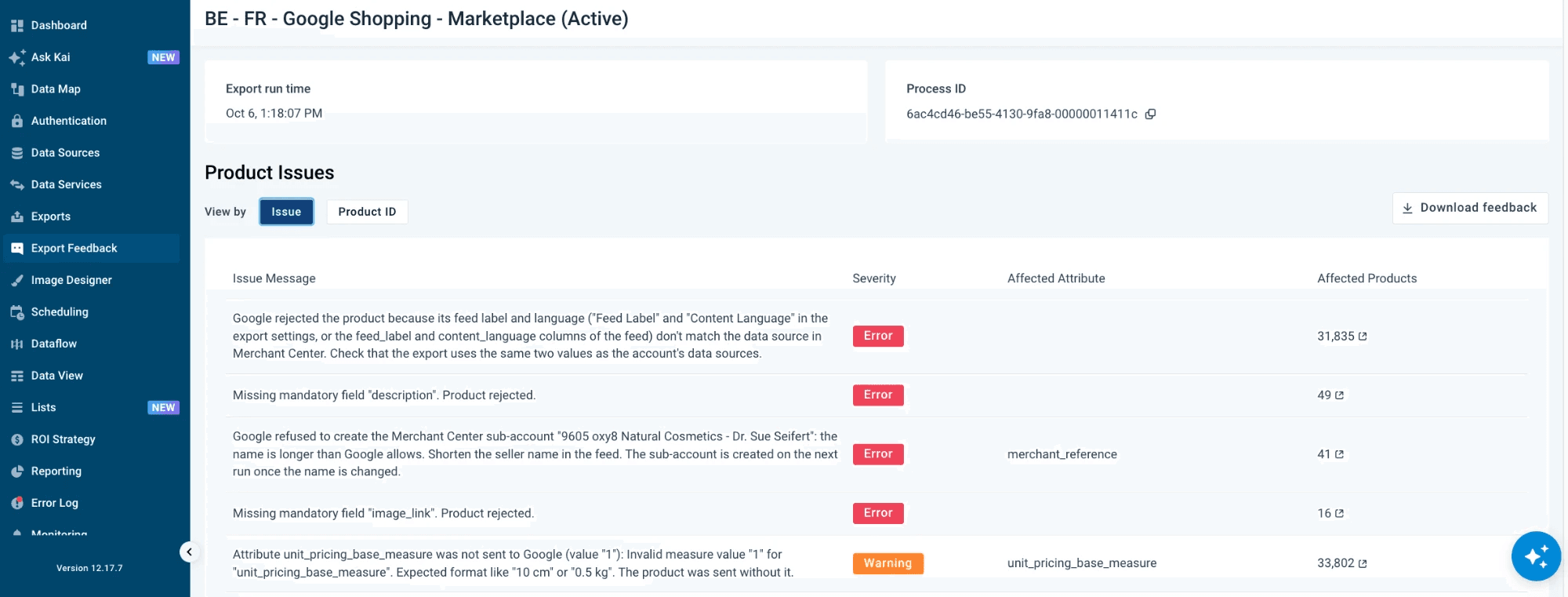
- Identify and resolve product feed issues without switching to Google Merchant Center
- Act on consolidated diagnostics from a single view within the platform
See Export Feedback for more information.
Validate BMEcat exports without leaving the platform
BMEcat output files can now be validated directly inside Productsup, with any errors surfaced in the export feedback view immediately after generation. Validation is supported for BMEcat 2005 versions 5.0.1 and 4.0.3, collapsing what was previously a multi-step external process into a single in-platform step.
Now you can:
- Validate BMEcat 2005 (versions 5.0.1 and 4.0.3) output files inside Productsup
- Review validation errors in the export feedback interface right after export generation
- Catch and fix data quality issues before files reach downstream recipients
See Set up BMEcat 2005 and BMEcat 1.2 exports for more information.
How is this guide?