

October 2026 release notes
Check out what we released in October 2026.
At Productsup, we are continuously working to offer you the best experience with the Productsup family of products and services. Here's what happened in October 2026.
News about platform features
Draft, publish, and track export template versions with Version history
Export Template Management now supports a Draft and Publish workflow with Version History, giving you more visibility and control over template changes.
Now you can:
- Work on template changes in draft before they affect live exports
- Publish changes when they are ready and clearly distinguish between draft and live configurations
- Keep Analyzer Test changes in draft until the template is published
- Use Version history to see previous revisions, who published them, and what changed
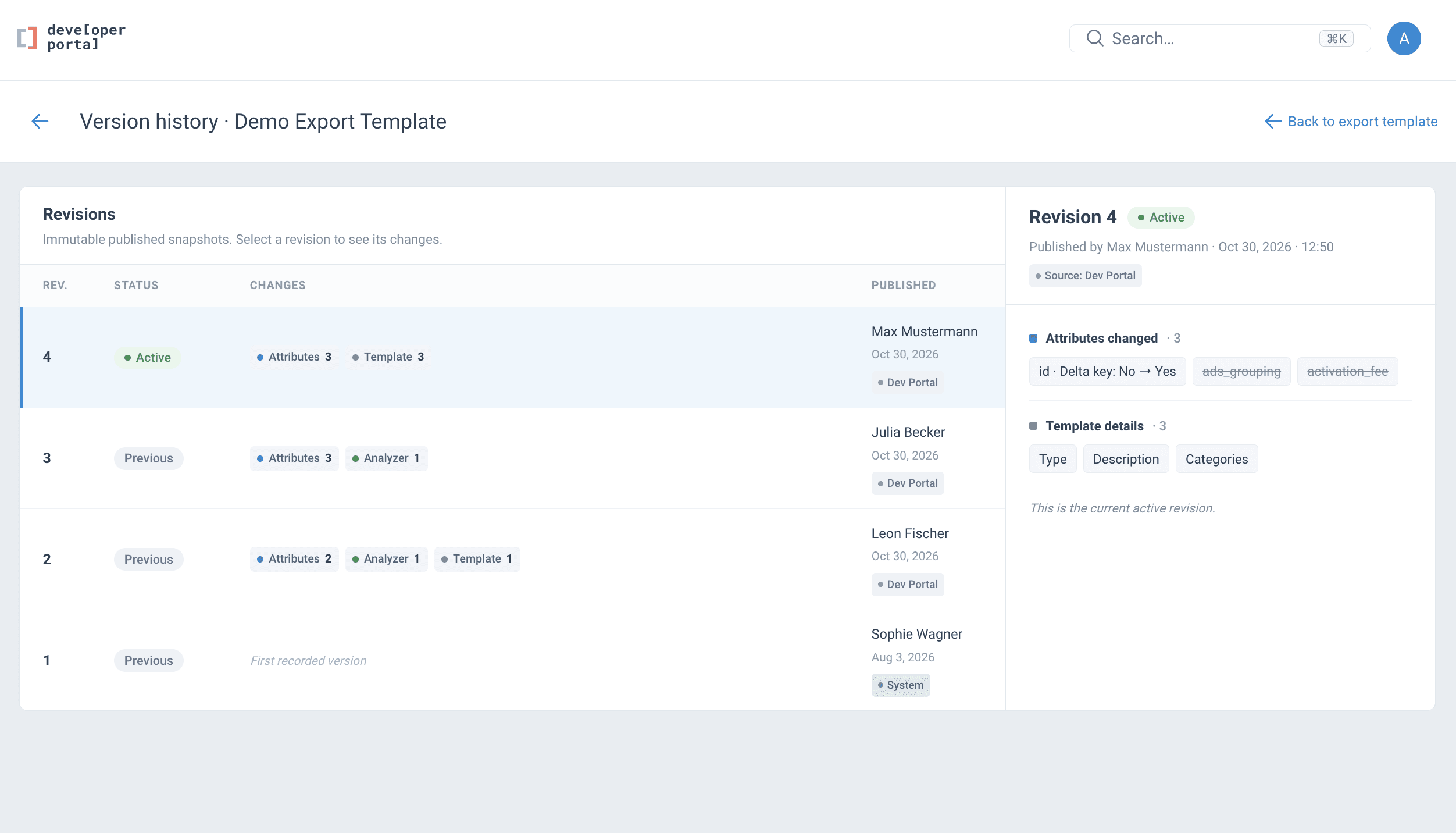
This makes Export Template changes more transparent and predictable and reduces the risk of unintended updates across dependent sites and workflows.
Export Template Management is currently in Beta. Reach out to your Customer Success Manager or contact support@productsup.com to request access.
See View version history for more information.
News about integrations
Diagnose failed integration runs faster with clearer error messages in the Platform Error Log
The Platform Error Log now displays plain-language explanations when an integration run fails, replacing the vague or empty entries that previously offered little diagnostic value. This initial release covers Amazon, Bol, Google Merchant Center, Google Sheets, GCP BigQuery Export, Mirakl, MS SharePoint, ODBC Import, Shopify GraphQL, and XML Builder, with more integrations to follow in subsequent rollouts.
Now you can:
- Read a clear, human-readable explanation of why an integration run failed directly in the Platform Error Log
- Identify what needs to be corrected without opening a support ticket
- Troubleshoot integration issues faster and with greater confidence

See Error log codes and troubleshooting overview for more information.
How is this guide?