

Import orders from TikTok Shop
Import orders from TikTok Shop into Productsup to send them to your order management system.
TikTok Shop lets TikTok users buy products without leaving the TikTok app. When customers place orders in your TikTok Shop, you can import those orders into Productsup with the data source TikTok Shop Order Import and send them on to your order management system.
What you need before you import TikTok Shop orders
To import orders from TikTok Shop, you need a TikTok Shop authentication added to your Productsup organization or project. Choose the authentication type based on your market:
- TikTok Shop US Authentication for the US market
- TikTok Shop Non-US Authentication for the UK and German markets
See Add OAuth authentication to external systems to learn how to add an authentication.
Set up the TikTok Shop Order Import data source
Go to Data Sources from your site's main menu and select ADD DATA SOURCE.
Search for TikTok Shop Order Import, select Add, give the data source a name as desired, and then select Continue.
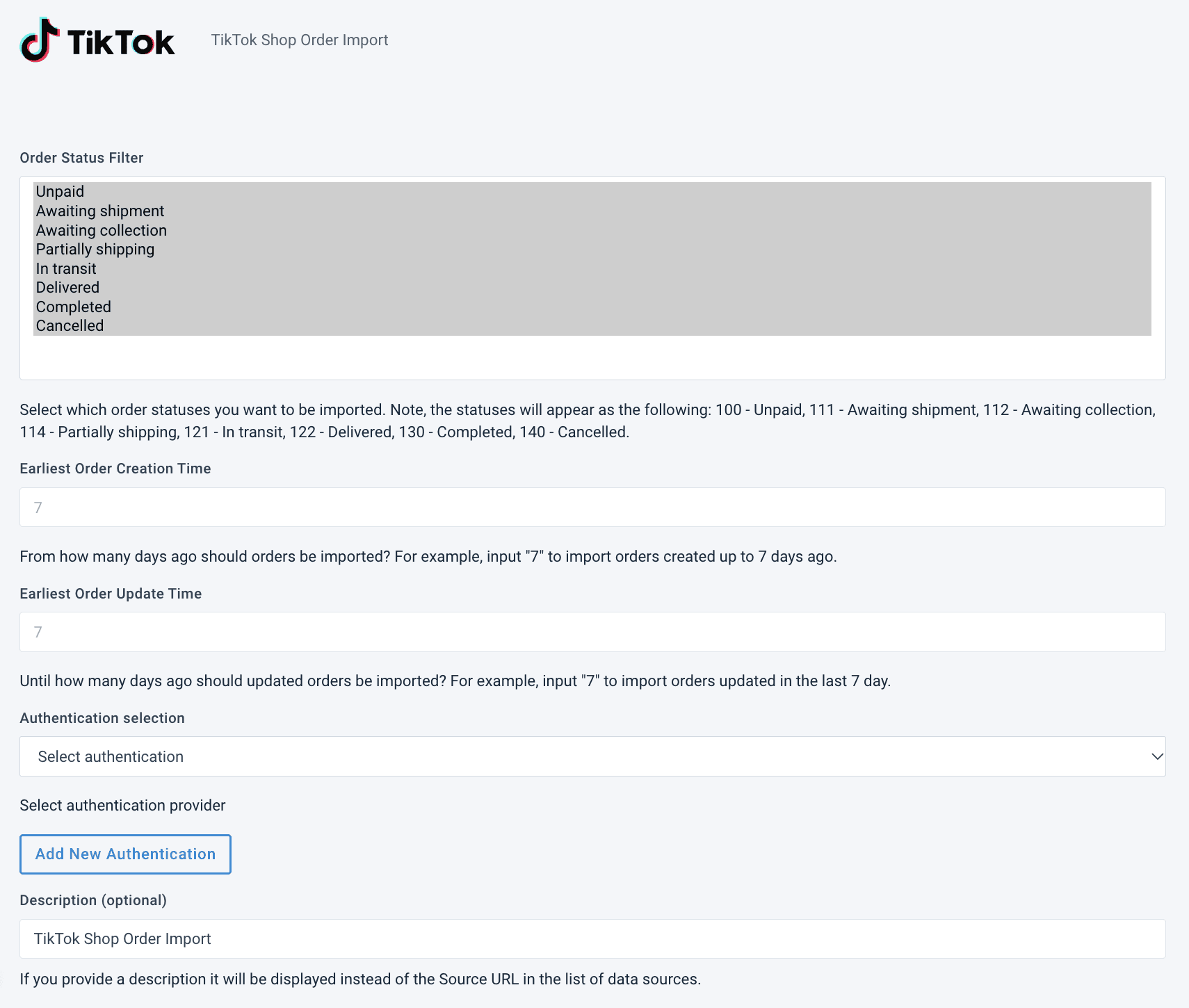
In Order Status Filter, select the statuses that orders should have for the platform to import them. If you do not select any order statuses, the platform imports orders of all statuses.
Tip
Hold the Ctrl or Cmd key to select multiple order statuses. Hold Shift to select a range of statuses.
To import only orders created within a specific timeframe, enter the number of days in Earliest Order Creation Time. For example, enter 7 to import orders created within the last seven (7) days.
To import only orders updated within a specific timeframe, enter the number of days in Earliest Order Update Time. For example, enter 3 to import orders updated within the last three (3) days.
In Authentication selection, select the TikTok Shop authentication you added to your Productsup organization or project. If you have not added one yet, select Add New Authentication.
Optionally, enter a custom name for the data source in Description (optional). The platform shows this description instead of the source URL in your list of data sources.
Select Save.
The next manual or scheduled site run imports your TikTok Shop orders.
How is this guide?