

Bulk actions with products
An overview of all actions available for products
2 min read
Introduction
In the Product page, you can select one, several, or all products and apply some actions to them in bulk:
- Go to Products from the main menu.
- Select the needed products.
- Select the Actions drop-down in the upper ribbon and select the desired action from the list.
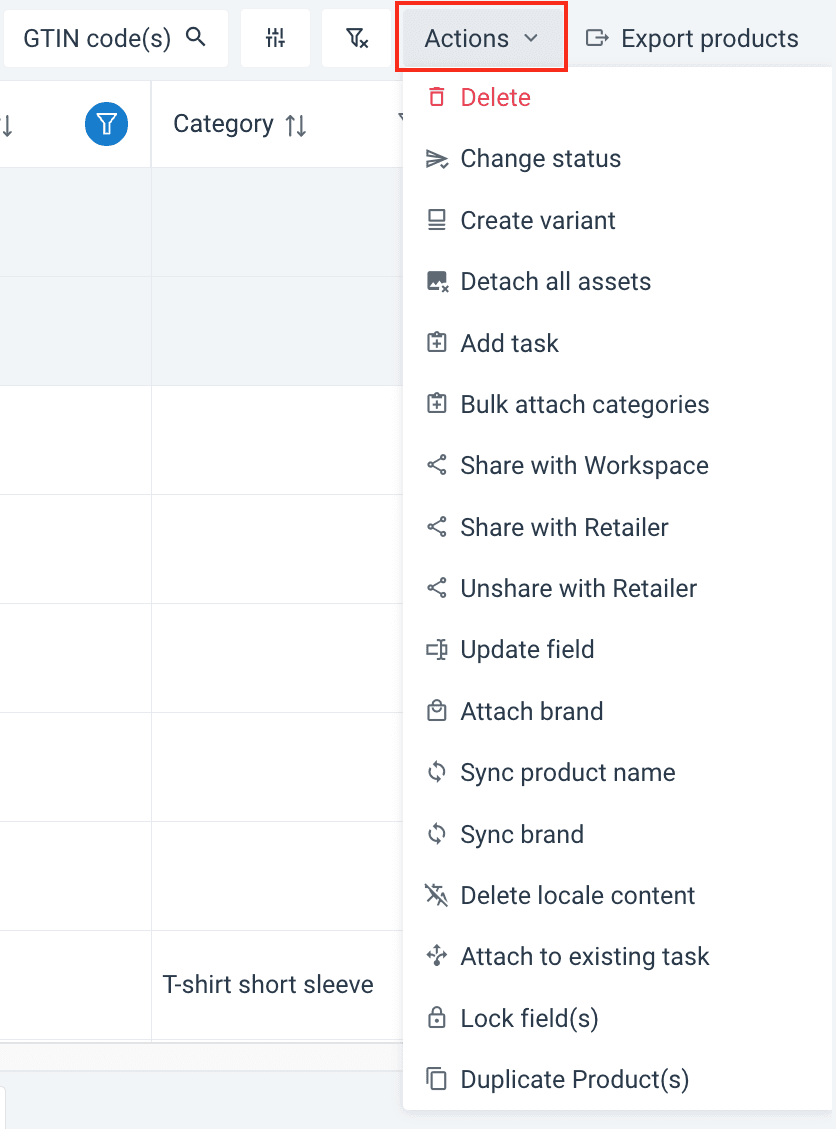
Actions menu
You can apply one of the following actions at a time:
| Action | Purpose |
|---|---|
| Delete | Removes the selected products from the system. |
| Change status | Updates product status (e.g., Concept, Saved, Published, Live, Archived). |
| Create variant | Generates a product variant for a specific retailer or channel. |
| Detach all assets | Removes all associated media files from the selected products. |
| Add Task | Assigns a new task to the selected products. |
| Bulk attach categories | Assigns multiple categories to several products simultaneously. |
| Share with Workspace | Emails a product variant to colleagues within your workspace. |
| Share with Retailer | Grants chosen recipients access to the product variant. |
| Unshare with Retailer | Revokes recipient access to product information. |
| Update field | Edits values in product fields (excludes locked fields). |
| Attach brand | Assigns a specific brand to the selected products. |
| Sync display name | Synchronizes names based on a specific product or language. |
| Sync brand | Synchronizes brand data based on a specific product or language. |
| Delete locale content | Removes localized content from the selected products. |
| Attach to existing task | Links selected products to a pre-existing task in the system. |
| Lock field(s) | Freezes fields to ensure they remain constant and visible. |
| Duplicate Product(s) | Creates an identical copy of the selected products. |
How is this guide?