

Users
An overview of the Users
3 min read
Introduction
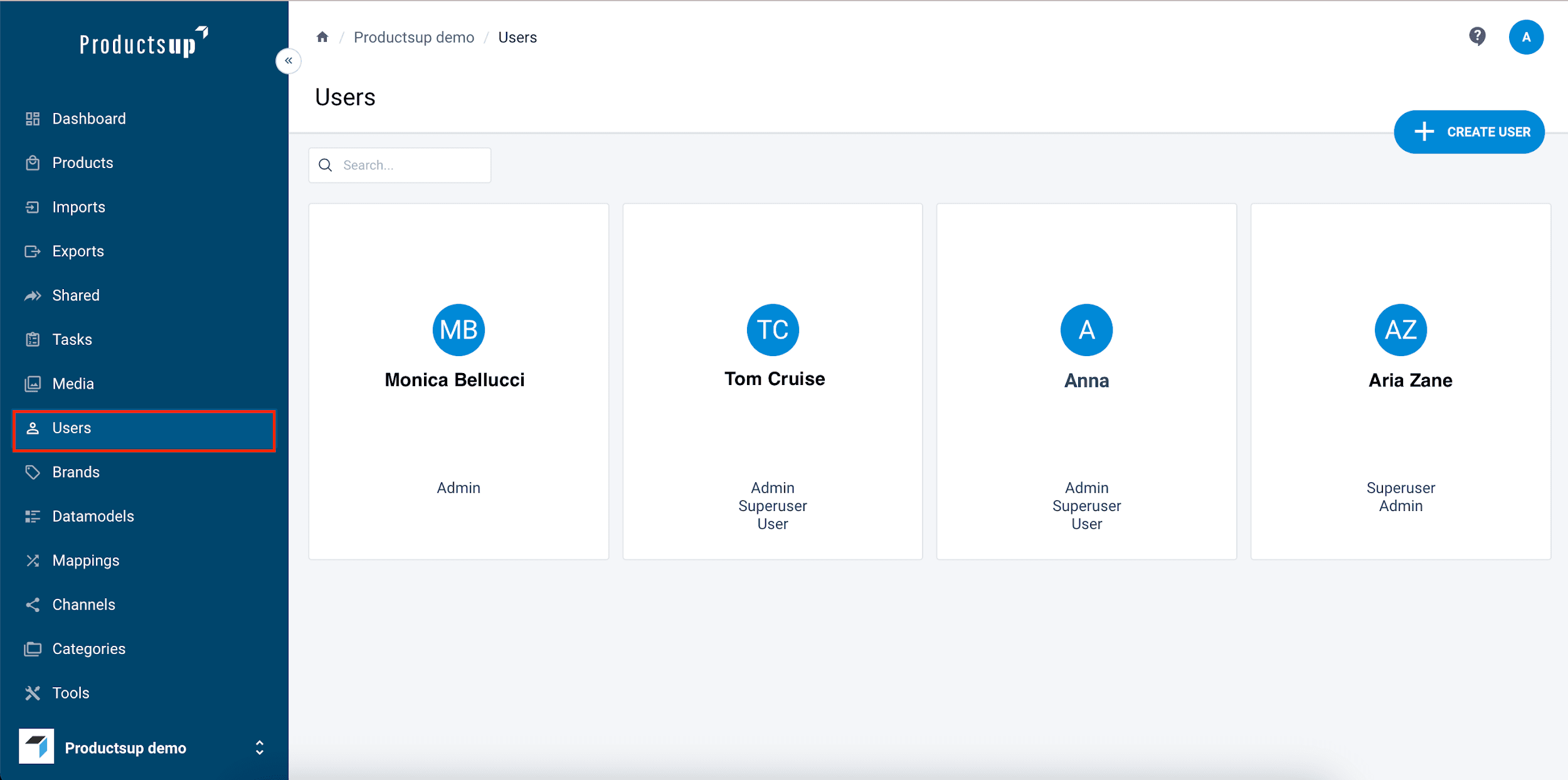
The Users page provides a complete overview of all registered members within your organization.
- User cards: Each entry displays the user’s avatar (or initials) and their assigned roles.
- Navigation: Use the Search field at the top to find specific individuals and the page selector at the bottom to browse the full directory.
Create or edit a user
To create a new user:
- Select the CREATE USER button. The Create user form opens.
- In Name, enter the user's name.
- In Email, enter the user's email address.
- In Avatar, select the Upload button and choose an image from your computer.
- In Role, select one or more user's roles in the platform.
- In Mobilephone, enter the user's mobile phone number.
- In Address, enter the user's address.
- In Country, enter the user's country of residence.
- In Position, enter the position of the user within your organization.
- In Locale, select the platform language for the user's view. For example, if you choose Dutch as a locale, all pages will be shown in Dutch.
- In Workspaces, select all the workspaces that the user can access.
- In Workspace, select the main workspace that your user has access to.
- Select Save to save your edited or newly created user.
To edit the information of a user, select a necessary user tile and edit the necessary information.
Tip: Learn more about the Users functionality benefits and use cases on our Academy website by taking the video course User authentication and management.
How is this guide?