

Add TikTok Product Catalog export
Add the TikTok Product Catalog to push your product catalog for use with Dynamic Product Ads data in your TikTok marketing channels in Productsup.
The TikTok Dynamic Product Ads feature automatically retargets users with relevant product ads based on their activities inside advertiser apps and websites.
Use the TikTok Product Catalog to push your product catalog with enhanced product information for your Dynamic Product Ads. This export creates a CSV catalog feed file for uploading your products to the catalog.
To export product data using delta logic, use the TikTok Product Catalog API export instead. See Add TikTok Product Catalog API export.
See TikTok for Business Developers for more information on connecting to your TikTok for Business.
Add and set up the export
To add the TikTok Product Catalog export in Productsup:
Go to Exports from your site’s main menu and select ADD EXPORT.
Search for TikTok Product Catalog , hover over it, and select Add.

On the Exports page, select the name of the added export template to set it up.
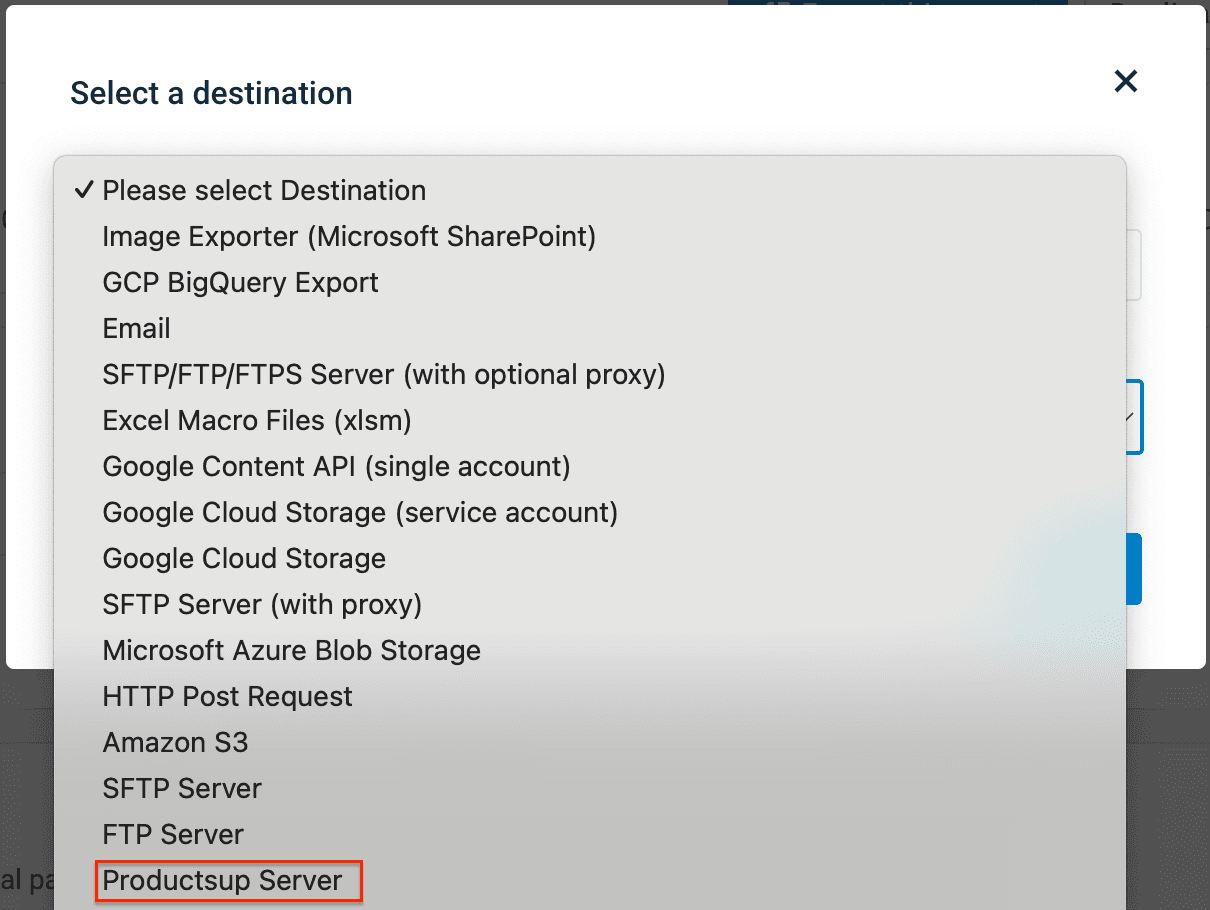
Select Add Destination and choose your desired destination from the dropdown, for example Productsup Server. Give it a name as desired, and select Save. See Find the most suitable export destination to learn what destination fits you.
Select Save.
How is this guide?