

Add Attentive Product Export
Use Attentive Product Export to create and update your product catalog in the Attentive platform.
Introduction
Attentive is a US-based SMS marketing platform that lets you send personalized text messages to your customers.
Productsup has built Attentive Product Export that lets you create and update your product catalog on Attentive to use the catalog products for SMS messages to your customers.
Prerequisites
To proceed with the Attentive Product Export setup, you need:
- An active Attentive account.
- The API key that you can create in your Attentive account.
Select Write in Product Catalog.
- A contact of your Customer Success Manager at Attentive. You need to contact them to check if the platform sent or updated the product catalog correctly.
Add and set up the export
To add Attentive Product Export in Productsup:
Go to Exports from your site's main menu and select ADD EXPORT.
Search for Attentive Product Export, hover over it, and select Add.

On the Exports page, select the name of the added export to set it up.
Select Add Destination, choose Attentive from the drop-down list, give it a name as desired, and then select Save.
In Attentive API Key, enter the API key you got in your Attentive account to let the Productsup platform authenticate in your Attentive account.
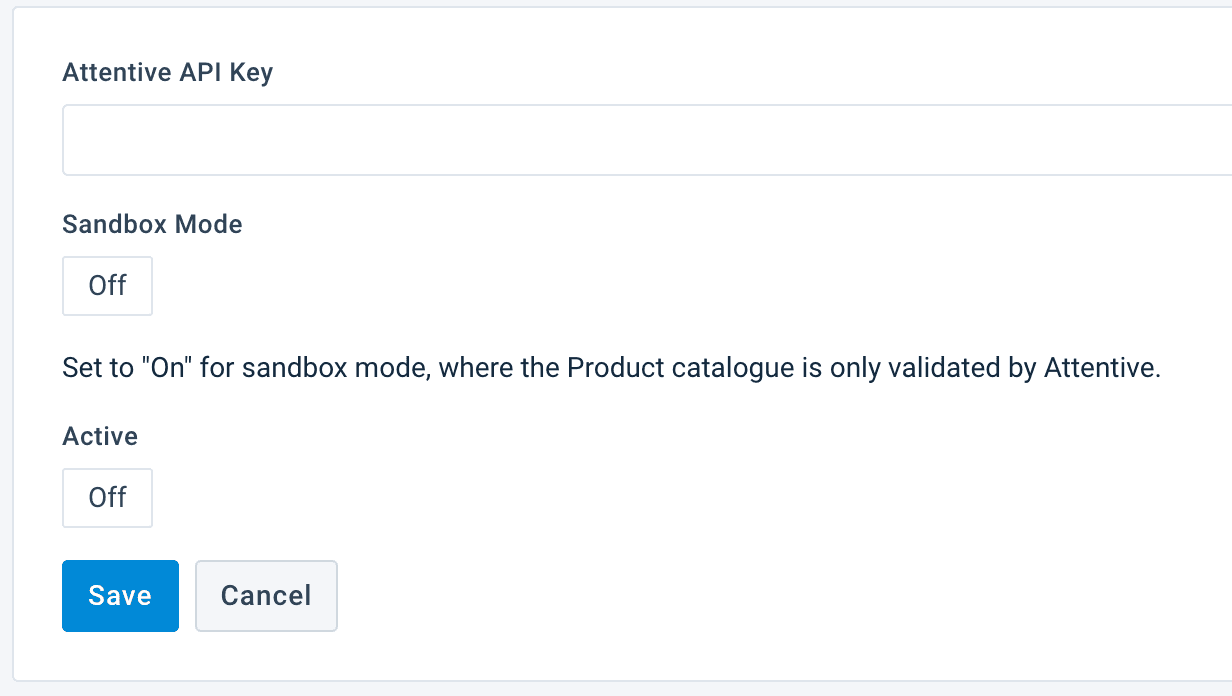
Switch Sendbox Mode to On if you want to test the export first. Ask your Attentive Customer Success Manager to help you check that the platform exported products correctly. Then, return the setting to Off to send the live feed.
Switch Active to On to activate the destination.
Select Save.
Go to Dataflow and select your Attentive Product Export from the drop-down menu in the upper ribbon.
Map all the needed attributes from import to export and run the export.
Each attribute in the Dataflow columns acts as a variant of a product. The product_id attribute is the identifier that binds different variants into one product.
Various attributes on Attentive can have multiple values and there can be up to 100 variants. These attributes are:
product_optionproduct_attributesvariant_optionvariant_attributesproduct_images
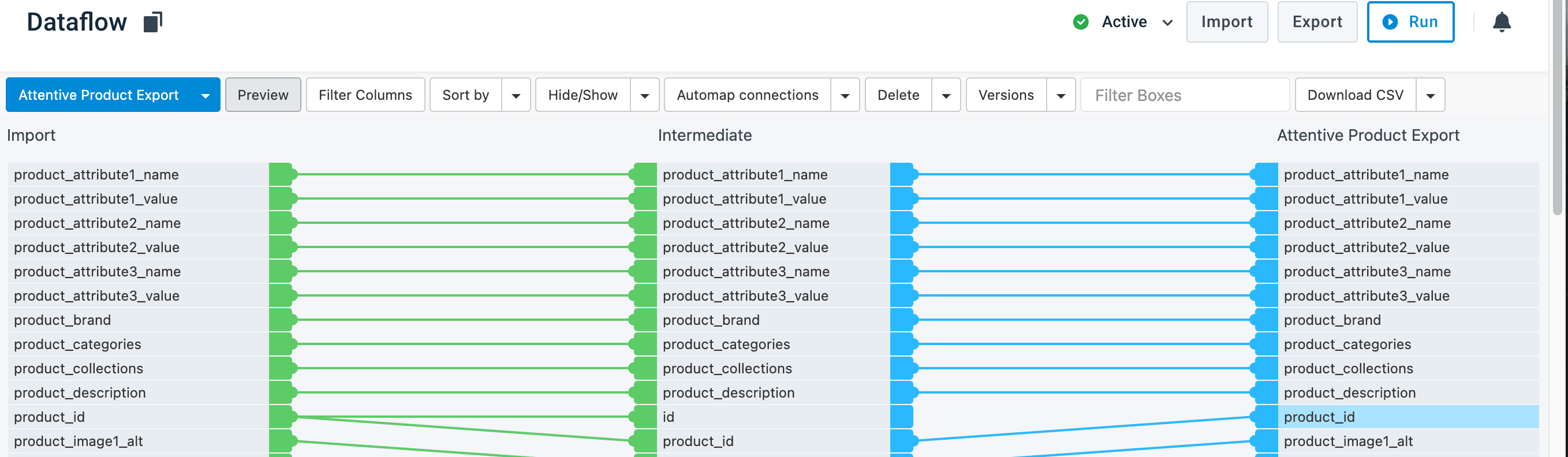
By default, you have 3 iterations of the same attributes:
product_option1_name,product_option2_name,product_option3_nameproduct_option1_position,product_option2_position,product_option3_positionproduct_option1_values,product_option2_values,product_option3_values
If needed, you can add more attributes with the help of the button Drop or Click to add new attribute and use the naming convention such as of the default attributes. For example, product_option4_name.

Some fields accept multiple values in a single field. Use # as the separator between values.
The following fields support multiple values:
product_categories— for example,Footwear#Sportswearproduct_tags— for example,sale#new-arrivalproduct_collections— for example,Summer#Outletproduct_option{N}_values— for example,S#M#L#XL
Verify the catalog export
The Attentive settings don't let you check if the platform sent or updated the product catalog correctly. Contact your Attentive Customer Success Manager and ask them to check it for you.
Also, Attentive’s API doesn't provide feedback on the status of the product catalog. Therefore, the Productsup platform can't give you any feedback on errors that could have happened during the export. You can check the analyzer tests to ensure your data is correct. See Analyze your data in Data View.
How is this guide?