

December 2025 release notes
Check out what we released to the Productsup platform in December 2025.
At Productsup, we are continuously working to offer you the best experience with our platform. See the updates and new features we released in December 2025.
Copy Dataflow now supports CSA exports
Relevant for:
All users
in
Marketplace channels
Retailer and distributor channels
To reuse setups across Amazon, eBay, ETIM, OTTO, and other CSA exports, you can now use Copy Dataflow to copy the dataflows of CSA exports and their sub-exports. In the updated version of the feature, you can choose one or multiple pairs of source and target export dataflows to copy connections and rule boxes between CSA exports or between sub-exports. The feature copies only those connections that match between the source and target CSA dataflows without creating additional attributes in the export stage of the target CSA export or sub-export, which reduces errors.
This update yields the following benefits:
- Faster and easier setup rollout
- Scalable CSA setups
- Less manual work
- Fewer errors
- Smoother migrations
Here is how you can copy the connections and rule boxes of one eBay category into another:
See Copy dataflow between sites and exports with Import Dataflow and Copy Dataflow for more information.
Reuse data source setups across multiple sites with Shared Data Sources
Relevant for:
All users
in
Advertising channels
Marketplace channels
Retailer and distributor channels
Supplier onboarding
We have released the beta version of Shared Data Sources, a new feature for reusing data source setups available at the organization level.
The Shared Data Sources feature lets you set up a shared data source at the organization level and then add it as an already configured data source to numerous sites if they need to import data from the same file or system. It saves time by letting you avoid repetitive configuration efforts and reduces the chance of data source setup errors.
Only admins can create shared data sources at the organization level. Read-write users can add those preconfigured shared data sources at the site level.
The new feature offers the following benefits:
- A single source of truth for reused data source setups.
- Easier data source maintenance.
- Fewer setup errors.
- Improved data source reliability and setup scalability.
Here is a quick showdown of how the feature works:
See Set up a shared data source and reuse it across sites for more information.
Errors and warnings in Error Log now open in a new tab
Relevant for:
All users
in
Advertising channels
Marketplace channels
Retailer and distributor channels
Supplier onboarding
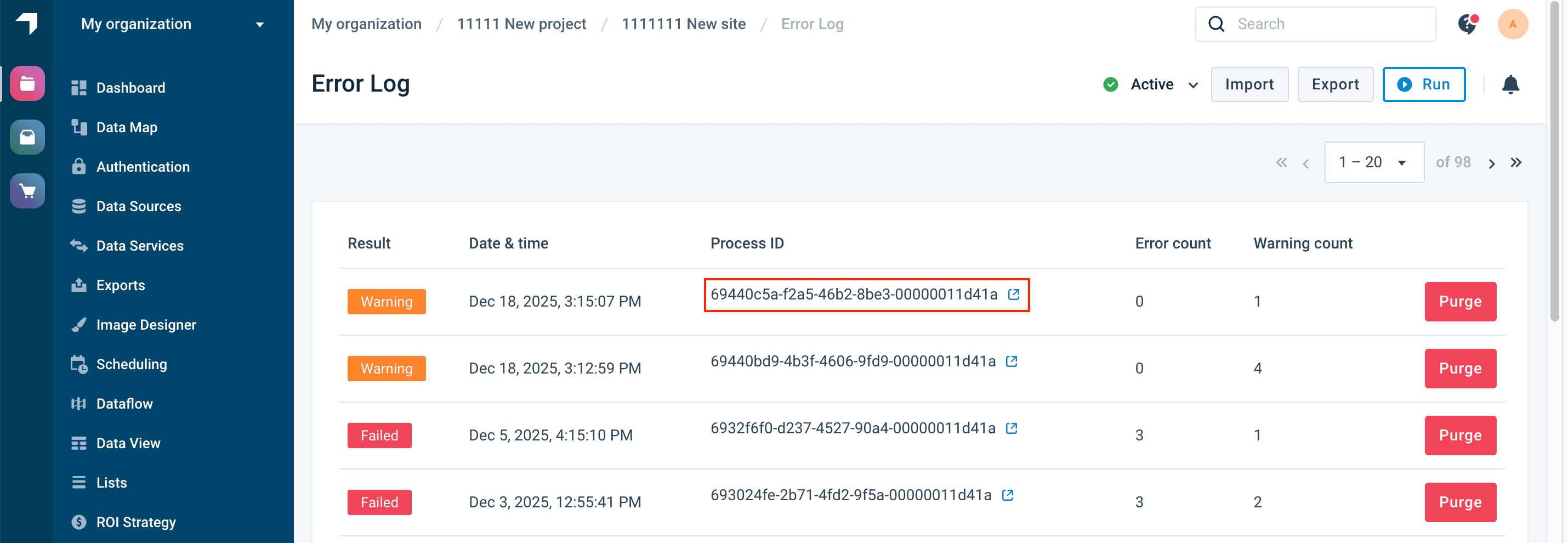
In Error Log, you can now troubleshoot multiple runs without losing an overview of all errors and warnings. If you select the process ID of an error or warning in Error Log, the platform automatically opens the overview of the selected event in a new tab.
Tip
You can still open the same overview page in the same tab by selecting the row of the needed event in any area other than the Process ID column.
This improvement streamlines the troubleshooting process, reduces repetitive navigation, and lets users identify issues quicker, making error and warning analysis more productive and less frustrating.
Improved management of shared lists
Relevant for:
Admins
in
Advertising channels
Marketplace channels
Retailer and distributor channels
Supplier onboarding
While deleting sites, you can no longer accidentally delete lists that are shared across a project or organization, which makes shared lists more visible, editable, and reliable. When attempting to delete a site that owns a shared list, you see the following message showing that the platform can't delete the chosen site:
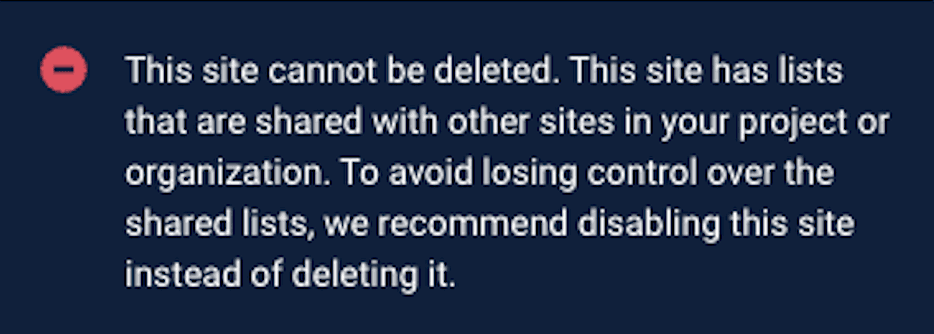
This eliminates hidden dependencies and reduces the risk of unexpected behavior across sites, improving the overall stability and management of shared lists.
See Lists feature for more information on lists.
How is this guide?