January 2026 release notes
Check out what we released to the Productsup platform in January 2026.
At Productsup, we are continuously working to offer you the best experience with our platform. See the updates and new features we released in January 2026.
News about platform features
Create your own export templates and analyzer tests in the Developer Portal
Relevant for:
All users
in
Advertising channels
Marketplace channels
Retailer and distributor channels
Supplier onboarding
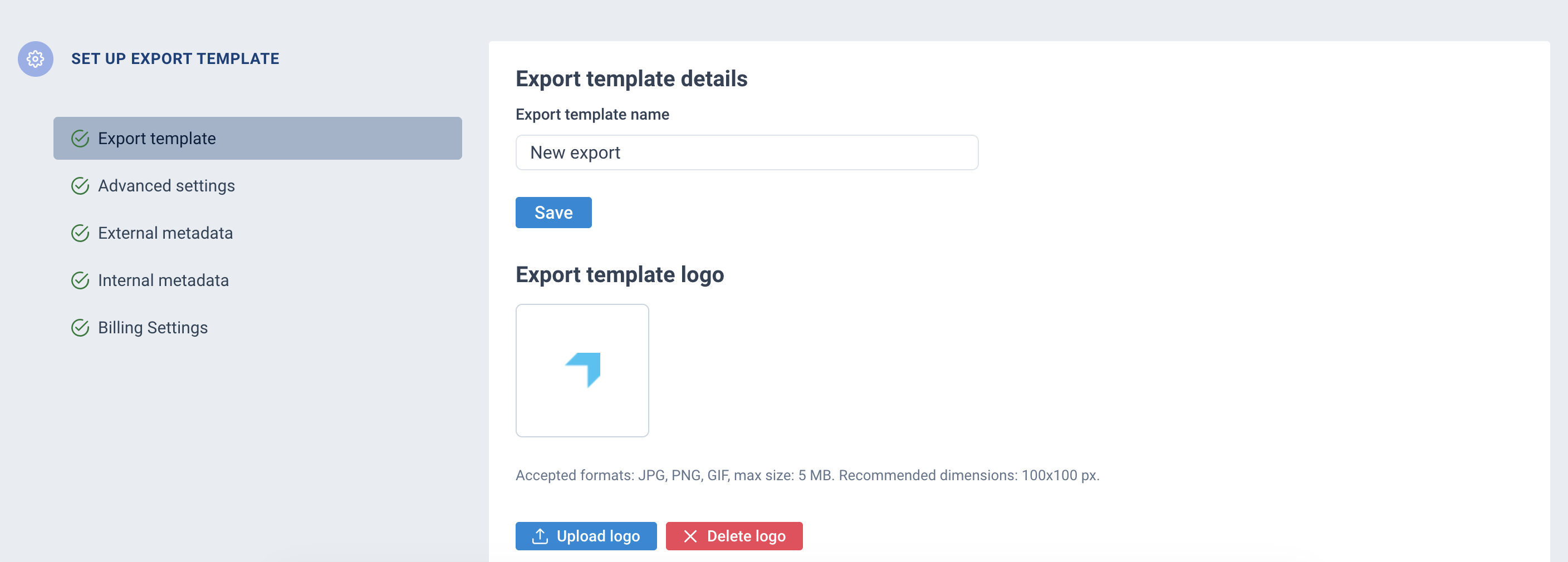
You can now use the Developer Portal to create your own export templates if the ones available in Exports don't suit your needs. You no longer have to wait for the Productsup team or even your internal team to build a custom export template for you. You can get access to the Developer Portal and start creating new export templates from scratch without requiring any engineering or technical knowledge.
While creating an export template, you give it a name, upload a logo of the channel it is designed for, add mandatory and optional attributes, and assign analyzer tests to your attributes.
Previously, you needed to know how to write regex to create analyzer tests. Now, there is no technical knowledge required. You can simply choose a needed type of analyzer test, set it up to validate the desired attribute values, and you are good to go.
This update gives you control over your export templates. You can build them as fast as ever and start using them in your sites in a matter of hours or even minutes. You also no longer need to build each custom export based on blank export templates, which means you can reuse your export templates across sites and save time.
Note
If you want to try building your own export templates, reach out to your Customer Success Manager to get access to the Developer Portal.
Mind that the new analyzer tests are in beta testing. The old analyzer tests that rely on regex are still available.
See the number of unique values per attribute in Analyzer
Relevant for:
All users
in
Advertising channels
Marketplace channels
Retailer and distributor channels
Supplier onboarding
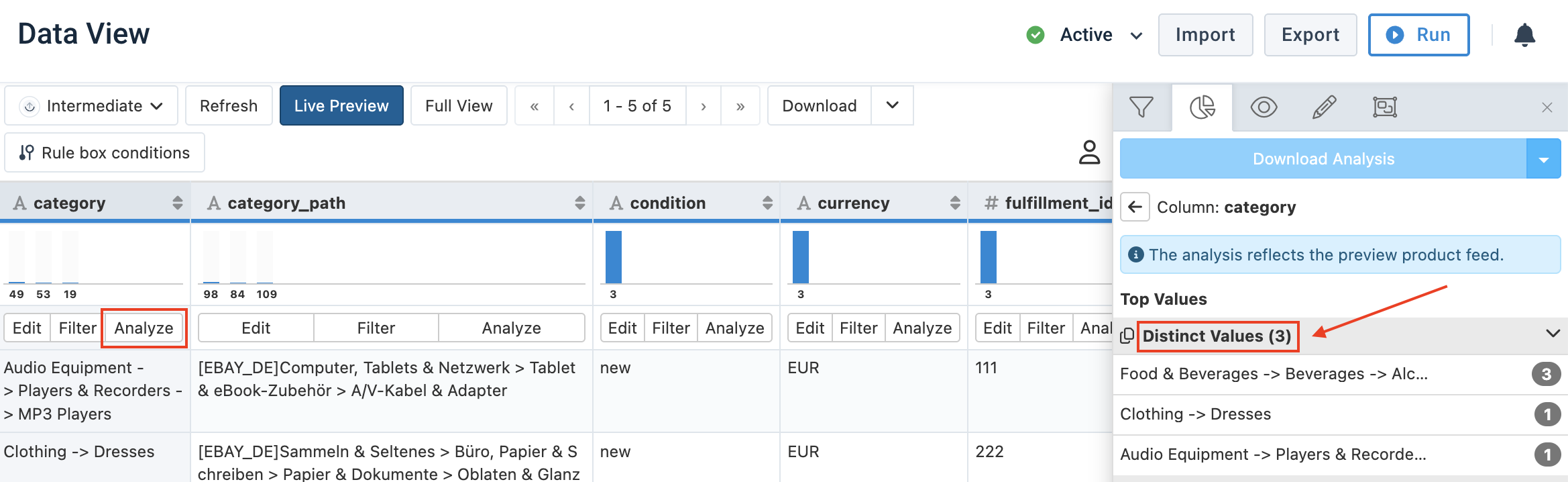
If an attribute should have a limited number of unique values, you can now use the Distinct Values section in Analyzer in Data View to see how many unique values an attribute has, without counting each unique value manually or running any additional exports. The Distinct Values section in Analyzer also lets you see all unique values present in an attribute and how many items have those values.
The number of unique values per attribute is displayed next to the Distinct Values section title in Analyzer.
This small update helps to:
Quickly check if unique values in an attribute meet expectations without manual counting or additional exports.
Verify store counts for Google LIA feeds.
Improve confidence in feed correctness, reduce troubleshooting efforts, and go live faster.
See Analyze your data in Data View for more information.
Strike-through text formatting is now available in Image Designer
Relevant for:
All users
in
Advertising channels
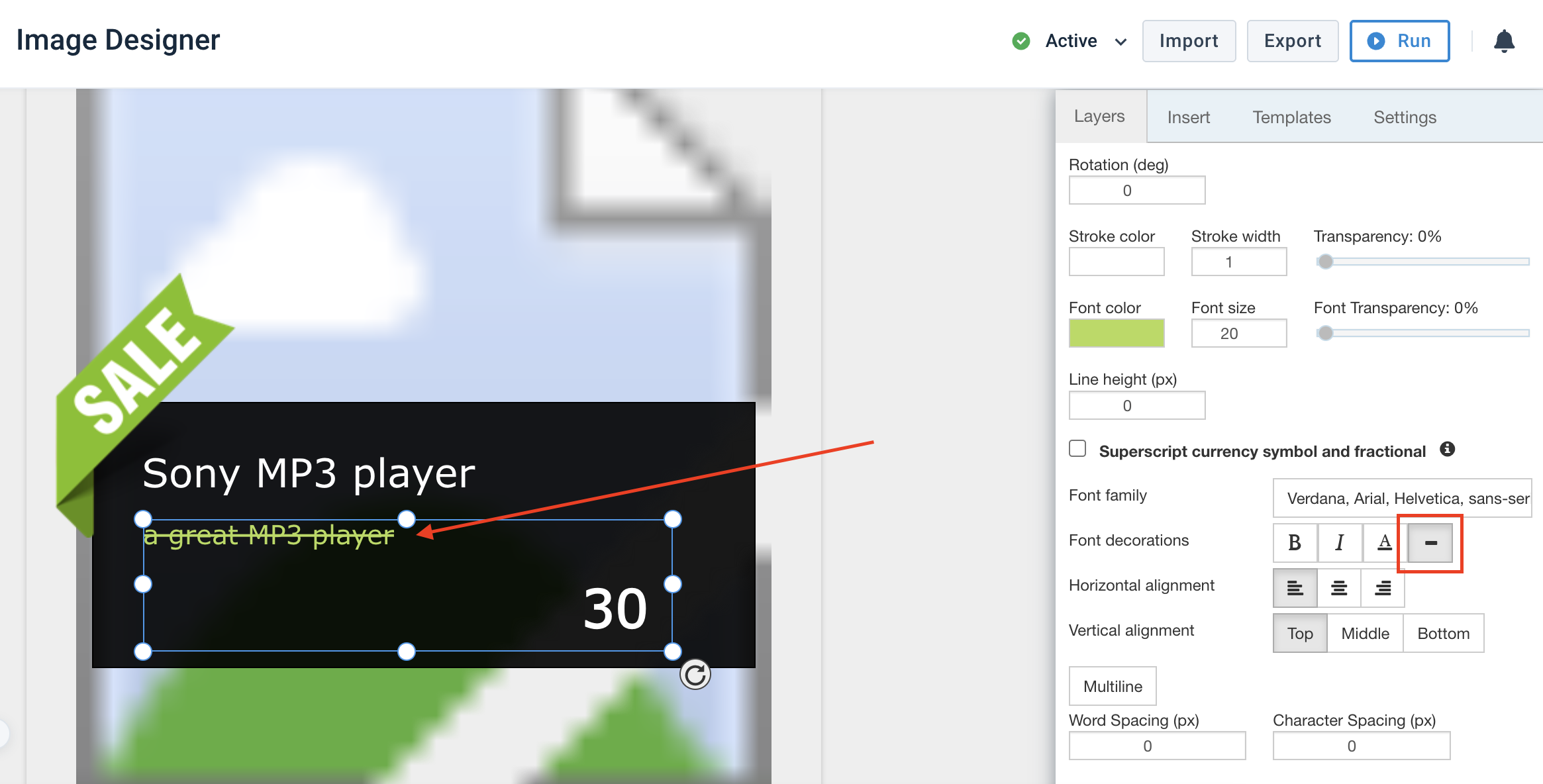
In Image Designer, you can now use strike-through formatting for both static and dynamic text layers.
This helps to visually contrast old and new product prices on promotion- and discount-related images.
Strike-through pricing is a proven visual cue for discounted offers, helping highlight price reductions as well as make them more compelling and easier to scale across Image Designer templates without manual workarounds.
See Add static or dynamic text to your image template for more information.
Duplicate catalogs in the Content Portal and choose what exactly gets copied
Relevant for:
Content Portal admins
in
Retailer and distributor channels
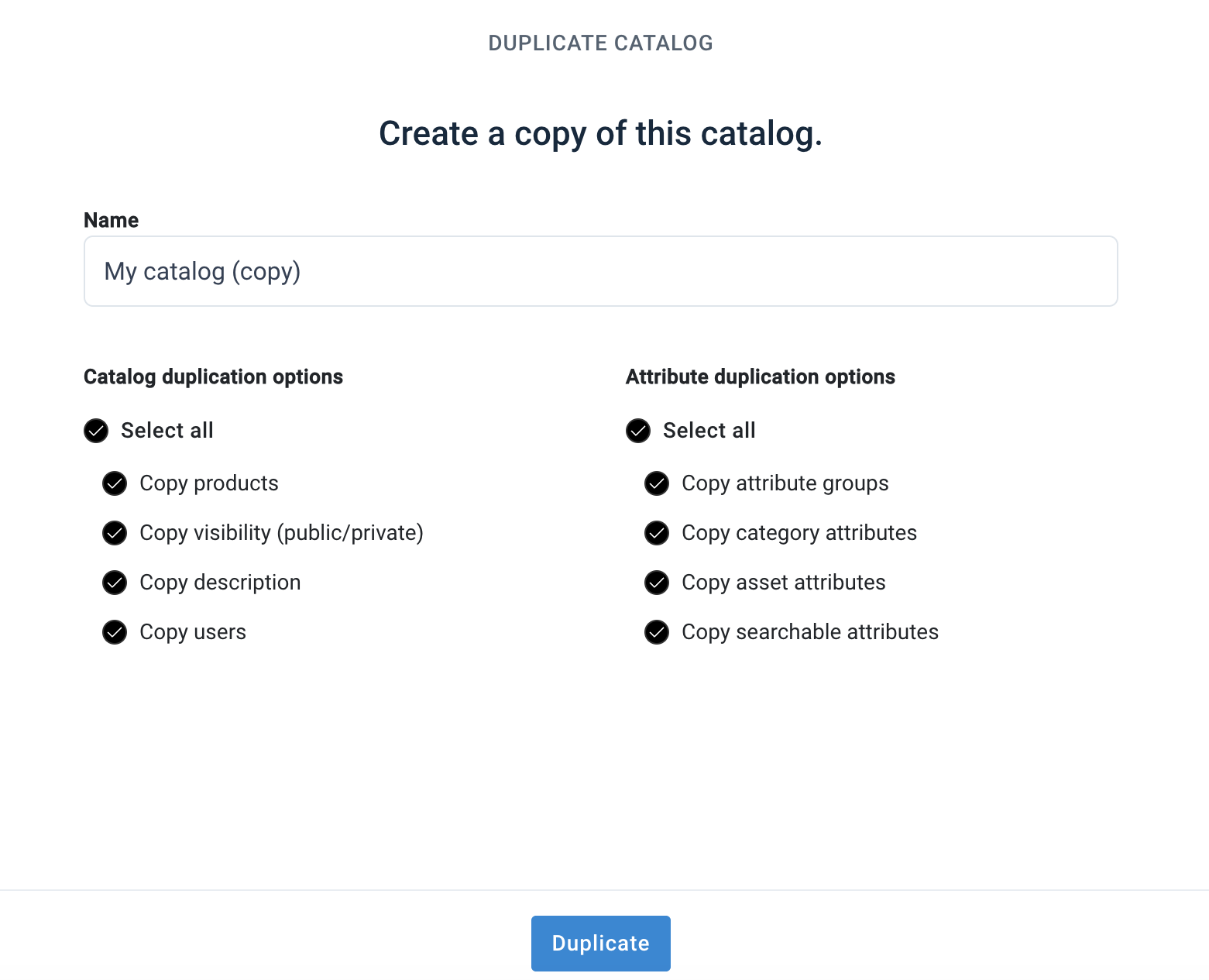
You can now copy catalogs in the Content Portal to reduce repetitive manual efforts across catalogs and scale product data across multiple countries and business units with ease. It helps you expand efficiently and flexibly, without compromising on control or data consistency.
While copying a catalog, you can choose which elements you want to carry over to the new catalog:
Product data
Catalog visibility settings
Invited users
Catalog descriptions
Attribute groups
Attribute categories
Asset attributes
Searchable attributes
You can later change all these settings or import new product data to the copied catalog.
See Add and edit a catalog in Content Portal for more information.
News about integrations
New export for the OpenAI API!
Relevant for:
All users
in
Advertising channels
Marketplace channels
ChatGPT serves millions of daily users who actively seek product recommendations and shopping advice. By sending your product feed to OpenAI, you can let your catalog reach high-intent shoppers at the exact point when they are getting ready to make purchase decisions.
We have released the new export OpenAI API - Product Feed to let you optimize your data according to OpenAI product feed specifications and send it to OpenAI via API. Using this export, you can make sure your data works for optimal indexing and discovery within ChatGPT's shopping experiences.

See Add OpenAI API - Product Feed export for more information.
New export for TikTok Shop in France
Relevant for:
All users
in
Advertising channels
Marketplace channels
TikTok Shop lets shoppers discover products in an organic and entertaining way while consuming engaging content on TikTok. Thanks to in‑app checkout, there is no need to leave the platform anymore to make a purchase, which makes shopping seamless and effective.
Last year, TikTok Shop officially launched in France and has quickly attracted thousands of sellers across the country.
We are happy to announce that we have released the export TikTok Shop - Product Catalog API (FR) to let you send your feeds to the French segment of TikTok Shop. With this latest update, we now support TikTok Shop feeds across 4 markets:
France
Germany
US
UK

See Add TikTok Shop exports for more information.